Cafe menu template
Breakfast until two, lunch after, a bakery case, a coffee list in three sizes. Gaslamp’s Casual Café design stacks it in one easy column on kraft-toned paper, the price under each name.
No card needed · then $19/mo or $190/yr · cancel anytime
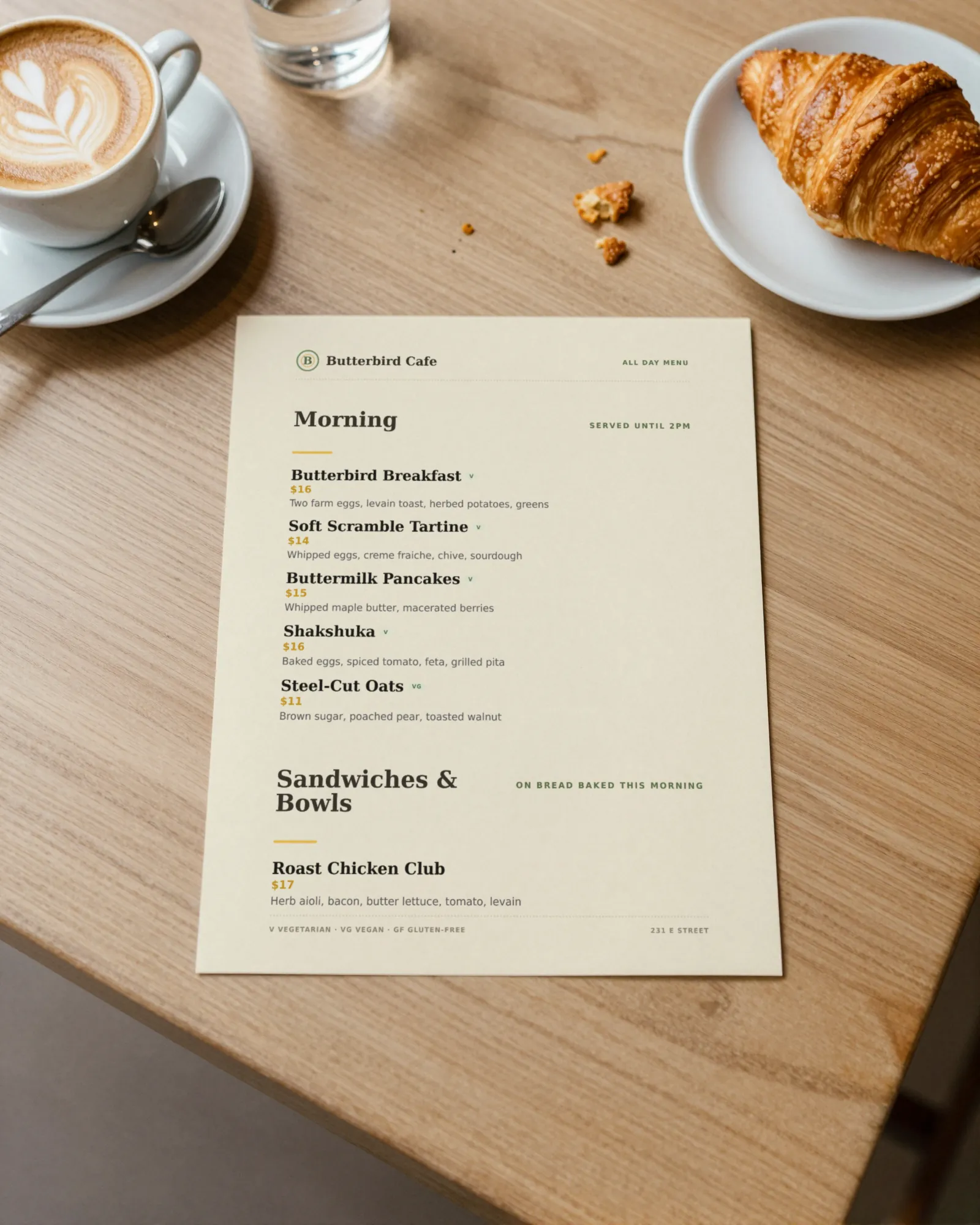
The real menu, both pages
The sample is Butterbird Cafe, a fictional all-day café and bakery in Davis: Morning (served until 2pm), Sandwiches & Bowls, Bakery, and Drinks, after a cover page.
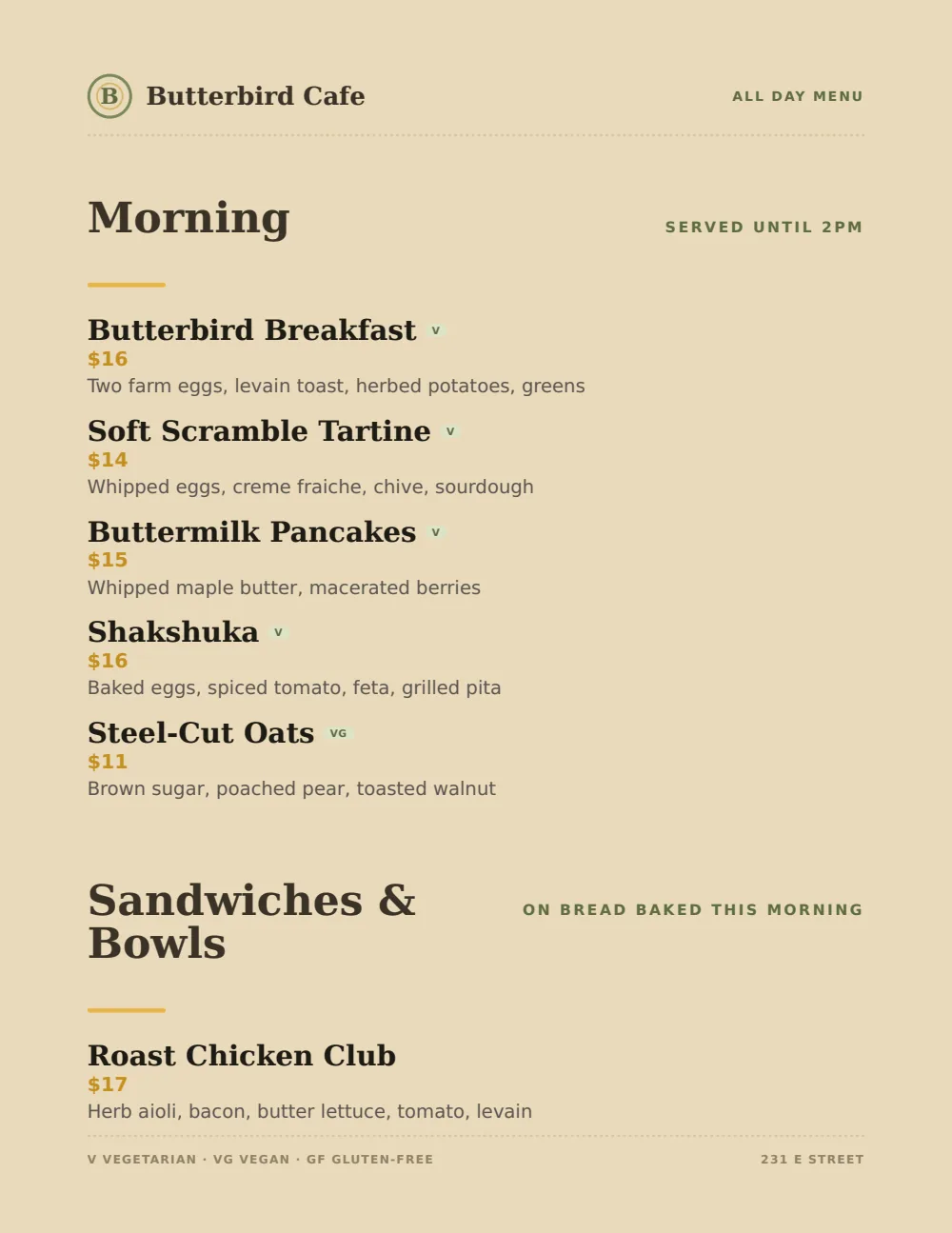
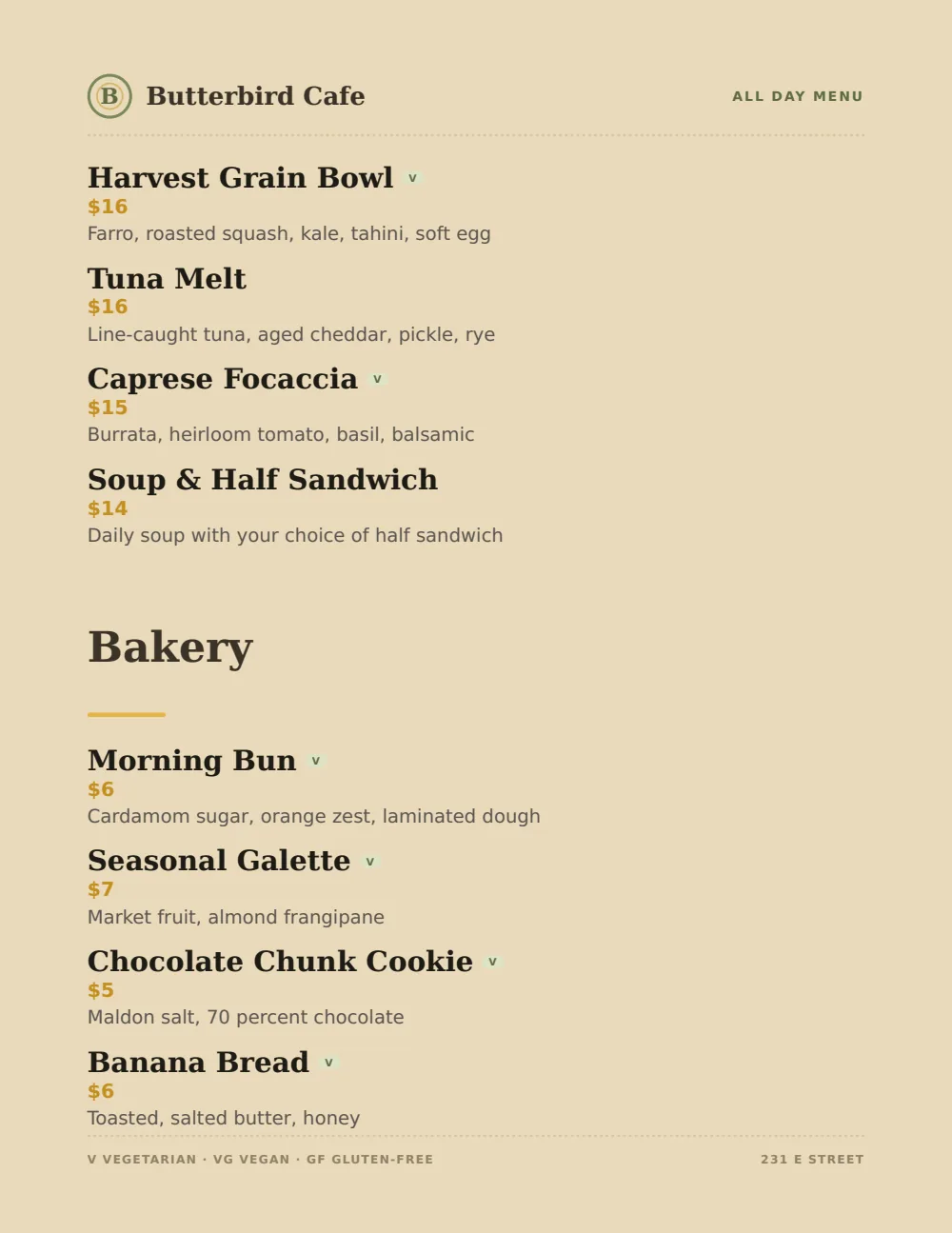
- The filePDF, 75 KB
- Pages4, with a coverThe cover carries the name and a QR code to the live menu.
- PaperUS Letter, portrait
- To download and printfree
No signup, no email. It is a finished sample, so it carries sample dishes. Putting your own menu into it takes the free trial. The trial includes one published live menu with QR codes. PDF downloads and additional menus start when you pick a plan.
Dayparts and drink sizes
A café menu gets read standing up, in a line, by someone who has not had coffee yet. Make the dayparts obvious and the drink prices impossible to misread.
Label the dayparts
Put the hours in the note beside the heading: Morning, served until 2pm. That one line answers most of the “can I still get pancakes” questions before they reach the register.
Or split the menu
If breakfast and lunch are really different, make them two menus. Each gets its own QR code and its own printed page.
Drinks by size
State your sizes once in the note under Coffee. Then give each drink a labeled price per size, up to three, and put upcharges like oat milk in the description.
- Latte12 oz 5.50 / 16 oz 6.25Oat milk add .75
- Cold brew, 16 oz5.75
The bakery case
Short lines, low prices, and mark whatever sold out by ten.
- Morning bun6
- Banana bread6
Example lines and prices show format only. They are not pricing advice.
Set it up in Gaslamp
- 1
Type over the sample
Give each drink a labeled price per size (12 oz, 16 oz) and put upcharges in the description under it.
- 2
Add the hours
Type “served until 2pm” into the note beside the Morning heading.
- 3
Pick Casual Café
Kraft tones, sage and marigold accents, one stacked column that reads at a glance. Your logo goes in the header.
- 4
Keep up with the case
Out of morning buns at 10:40? Mark them sold out from your phone. The QR code on the counter opens the menu with them struck through.
Cafe menus, straight answers
- Is this cafe menu template free?
- Yes. The Casual Café PDF on this page is free to download and print, with no signup. It is a finished sample for Butterbird Cafe in Davis, a fictional restaurant, so it carries that restaurant’s dishes. To put your own menu into the design, start the 14-day free trial, no card needed. The trial includes one published live menu with QR codes. PDF downloads and additional menus start when you pick a plan.
- How do I show drink sizes on a cafe menu?
- State the sizes once, then give each drink a labeled price per size on one line (12 oz 5.50 / 16 oz 6.25). An item holds up to three prices, so small, medium, and large fit.
- Can I have separate breakfast and lunch menus?
- Yes. Gaslamp holds multiple menus in one account and each has its own QR code; additional menus start when you pick a plan. Or keep one all-day menu and note the hours beside each section.
- Can I update the menu from my phone?
- Yes. Change a price or mark an item sold out from your phone and the menu behind your QR code follows about thirty seconds after you save.
- How much does it cost?
- Start with a 30-day free trial, no credit card needed. Then it is $19 a month, or $190 a year (2 months free). No setup fee. Cancel anytime. The trial includes one published live menu with QR codes. PDF downloads and additional menus start when you pick a plan.
More templates
Every design takes every menu. Switch between them anytime and your dishes stay put.
If you run one, Menu software for cafés covers what changes on menus like yours and how often.
The free QR code menu generator makes a code for whatever menu you have now.
All menu templates
The morning buns sold out at 10:40. Take them off the menu at 10:41.
No card needed · then $19/mo or $190/yr · cancel anytime