Restaurant menu management softwareA menu is never finished. Run it from your phone.
Designing the menu takes an afternoon. Running it takes every day after that: the price that moved, the dish that ran out, the weekend special, the change of season, and the QR code on every table that has to keep up with all of it.
Gaslamp is where the menu lives. Each of those changes is about thirty seconds on your phone, and the menu behind every QR code catches up about thirty seconds after you save.
No card needed · then $19/mo or $190/yr · cancel anytime
The life of a menu, and what each part takes
Most menu tools are built for the first row of this table. Restaurants spend their time in the other six.
| When | What happens | The usual way | In Gaslamp |
|---|---|---|---|
| Once | Opening | A designer or a template hands over a PDF. Nobody on the team can edit it. | Pick the design made for your kind of place, type your dishes over the sample menu, publish, print the QR code. Menus for new restaurants. |
| Every service | Something runs out | A server finds out when the guest orders it. | Mark the dish sold out from your phone. The QR menu shows it struck through about thirty seconds later. What 86 means. |
| Every week | Specials | A taped-in insert, a chalkboard, and a QR menu that never mentions either. | A Specials section you fill in, show for the weekend, and hide on Monday. |
| Every quarter | Prices move | Sharpie, then a reprint, then a stale PDF behind the QR code. | Change the price on your phone. Print a fresh PDF when you choose to. Price increase calculator. |
| Every season | The changeover | A new design project, or an old layout with new words jammed in. | Edit dishes in place. The layout reflows, and the old menu stays in version history. |
| Every year or two | The look gets tired | Start over with a designer. | Switch to another of the eight designs. Every dish and price carries over. See the eight designs. |
| Whenever | Someone makes a mistake | Nobody knows what the menu said last Tuesday. | Version history keeps the last 50 versions. Restore any one of them. |
Thirty seconds on your phone. Thirty more and it is on every table.
- 1Open Gaslamp on your phoneIt runs in the browser at app.gaslamp.ai. There is no app to install.
- 2Pick the menu, find the dishDinner, brunch, bar: each menu is its own list.
- 3Change the price, or mark it sold outThe price field brings up the number keypad.
- 4Tap Save & update live menuThat is the whole publish step.
What happens after you tap save, measured
- The menu rebuildsabout 2 secondsAverage of 1,064 real rebuilds, July to September 2026.
- Phones see the new menuabout 20 seconds laterThe cached copy refreshes; three timed runs took 17 to 22 seconds.
- The QR codeunchangedSame code, same table tent, new menu.
Your phone

The menu

One menu. The table, the phone, and the printer all read from it.
The hosted menu
What guests see when they scan. Real text set for a phone screen, not a PDF to pinch and zoom, with the dietary key at the foot. The dishes and prices are also marked up so search engines can read them.
The QR code
One per menu, and it never changes. Five code styles, and ready-to-print table tents (4×6), window signs (letter), and counter cards (3×5). More on QR menus.
The print PDF
Print-ready, in the design you picked. Change the menu and the next PDF you download already has the change. Take it to any printer; Gaslamp does not print or ship.
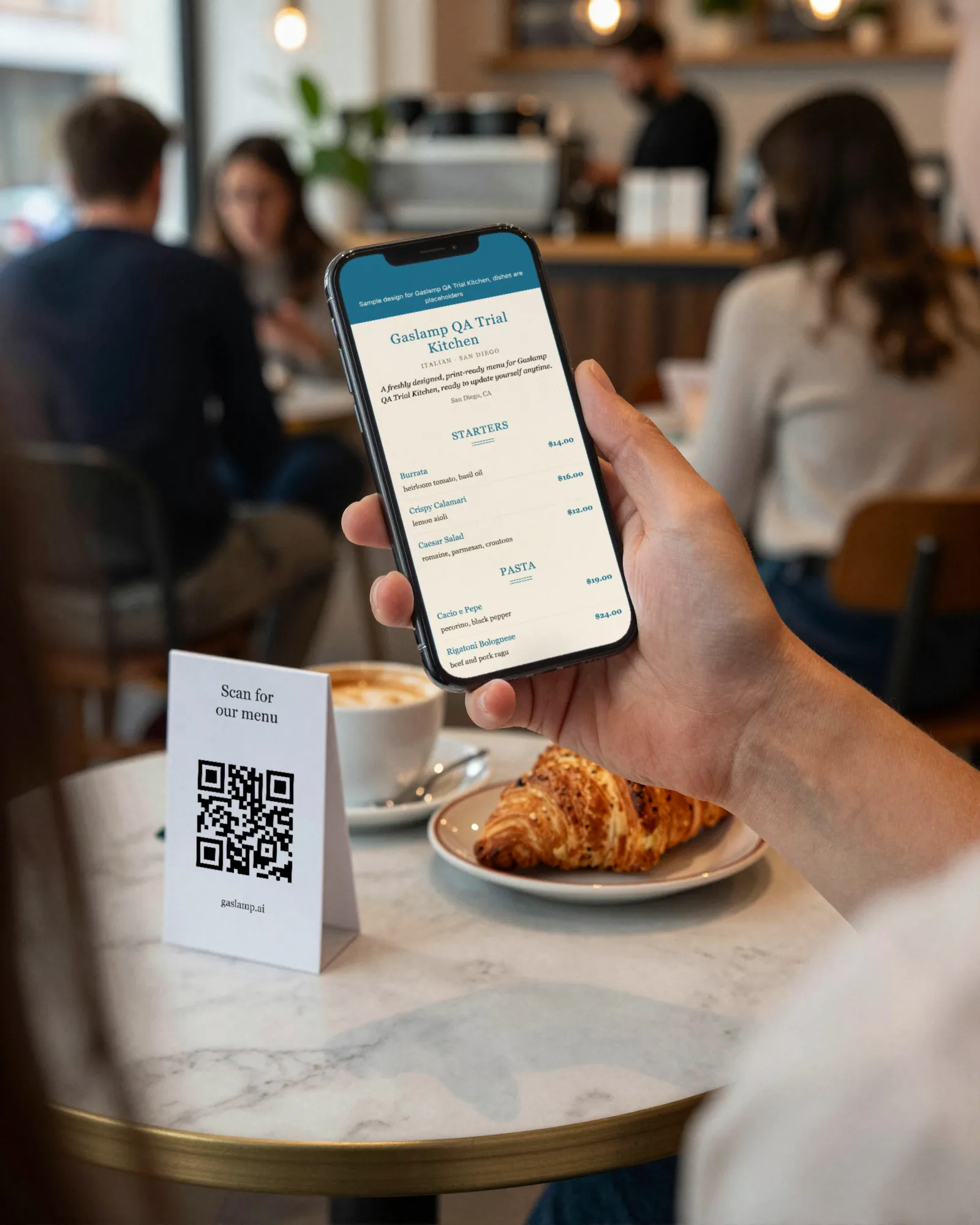
Built for phones on both sides of the table.
The guest is reading your menu on a phone, in a dim room, sometimes on one bar of signal. A scanned PDF makes them pinch and scroll sideways. A Gaslamp menu is text laid out for the screen they are holding.
The person who knows the menu changed is on a phone too: behind the bar, on the line, at the pass. So the editor works there, with the number keypad for prices and a preview tab to check the result before you save.
Menu management, by kind of place
A taproom and a tasting room change their menus for different reasons. Each guide covers what changes, how often, and how to set it up.
All restaurant typesThe pieces, one page each
Each output of the one menu, and what buying menu software should actually get you.
- Digital menuThe hosted menu guests read on their phone.
- QR code menuOne code per menu, never reprinted.
- Printable menuThe PDF, from the same edit.
- The menu app on your phoneWhat the edit looks like at the pass.
- Restaurant menu designHierarchy, prices, type, and the eight designs.
- Choosing menu management softwareThe buyer’s checklist, including our misfits.
- Changing menu pricesOne edit, every copy of the menu.
- Menu design helpWe set it up with you; you keep editing it.
- A menu for a new restaurantOpening week changes daily.
- Menu templatesReal designs with sample menus, downloadable.
- Menu software, comparedEight ways to make a menu.
What Gaslamp does not do
- It does not connect to your POS or delivery apps. A price changed in Gaslamp is changed on the menus guests read, not in your register.
- It does not switch menus by time of day. Brunch and dinner are separate menus with separate codes, or sections you show and hide.
- Each item takes up to three labeled prices (Glass and Bottle, Small and Large), from $1 to $9,999.
- A menu holds up to twelve sections of twenty items. Very long menus split into two menus.
- Menus are in English, and each account has one login.
Menu management questions
- What is restaurant menu management?
- Restaurant menu management is the ongoing work of keeping a menu correct everywhere guests read it: prices, sold-out dishes, specials, and seasonal changes, on the printed menu and the QR menu alike. Menu management software keeps one editable menu and publishes it to each of those places.
- How do I update my QR code menu?
- In Gaslamp, edit the menu and tap Save & update live menu. The hosted menu your QR code opens rebuilds in about two seconds, and phones that scan the code see the change about thirty seconds after you save. The code itself never changes.
- Do I need a new QR code when my menu changes?
- No. Each Gaslamp menu has one code that always opens its current version. Print it once on table tents, window signs, or counter cards and keep editing behind it.
- Can I manage several menus?
- Yes. Keep dinner, brunch, bar, seasonal, or event menus in one account, each with its own QR code. The free trial includes one live menu; paid plans include as many as you need.
- Can I undo a change?
- Yes. Gaslamp keeps the last 50 versions of each menu. Restoring an old version saves it as a new version, so nothing is lost.
- Can I manage the menu from my phone?
- Yes. The editor works in your phone’s browser, with an edit view and a preview view. Changing a price or switching a dish off takes about thirty seconds.
- How much does it cost?
- Start with a 30-day free trial, no credit card needed. Then it is $19 a month, or $190 a year (2 months free). No setup fee. Cancel anytime. The trial includes one published live menu with QR codes. PDF downloads and additional menus start when you pick a plan.
The menu will change again tonight. Make it a thirty-second job.
No card needed · then $19/mo or $190/yr · cancel anytime