Three things people mean by “digital menu”
The phrase covers three different products, and the wrong one costs real money.
| Kind | What it is | Who it suits | What it costs to change |
|---|---|---|---|
| Hosted mobile menu | A web page guests open on their own phone, usually from a QR code on the table | Almost every independent restaurant, bar, café, and truck | Nothing, if the page is editable. This is what Gaslamp makes. |
| Digital menu board | A TV or screen over the counter running signage software | Quick service with a long line and a short menu | Hardware, a signage subscription, and someone who knows the software |
| Tablet at the table | A device per table, often with ordering built in | Large chains and some casual dining groups | The devices, charging, breakage, and a platform contract |
This page is about the first kind. It is the one you can set up this afternoon, and it is the one most guests already expect: a code on the table, a menu on their phone.
What separates a good digital menu from a PDF behind a QR code
Most “digital menus” are a PDF of the printed menu uploaded somewhere and linked to a code. Guests pinch, zoom, and scroll sideways across a page designed for 8½ by 11 paper. It works, barely, and it goes stale the first time a price moves, because nobody re-exports and re-uploads a PDF between tickets.
A digital menu that earns its place does four things:
- It is text, laid out for the phone. Sections, dishes, prices, and dietary marks reflow to the width of the screen. No zooming.
- It changes without anyone opening a design file. The person who knows the dish is gone can take it off, from wherever they are standing.
- The code never changes. Table tents are printed once. Everything after that is editing.
- It agrees with the paper. If you also print, the paper and the phone come from the same menu, not two files that drift apart.
How Gaslamp makes one
- Pick a design. Eight of them, each drawn for a kind of room: steakhouse, trattoria, sushi bar, taqueria, tasting room, café, wine bar, truck. Add your logo and color.
- Type your dishes over the sample. Sections, dishes, descriptions, prices, and dietary tags, in the editor. Once. After that you only change what changed.
- Publish. You get a hosted menu at its own address, a QR code that opens it, and ready-to-print table tents, window signs, and counter cards.
- Run it from your phone. Change a price, switch a dish off, add the special, tap Save & update live menu. The page rebuilds in about two seconds and phones see it about thirty seconds after you save.
What guests see after the scan
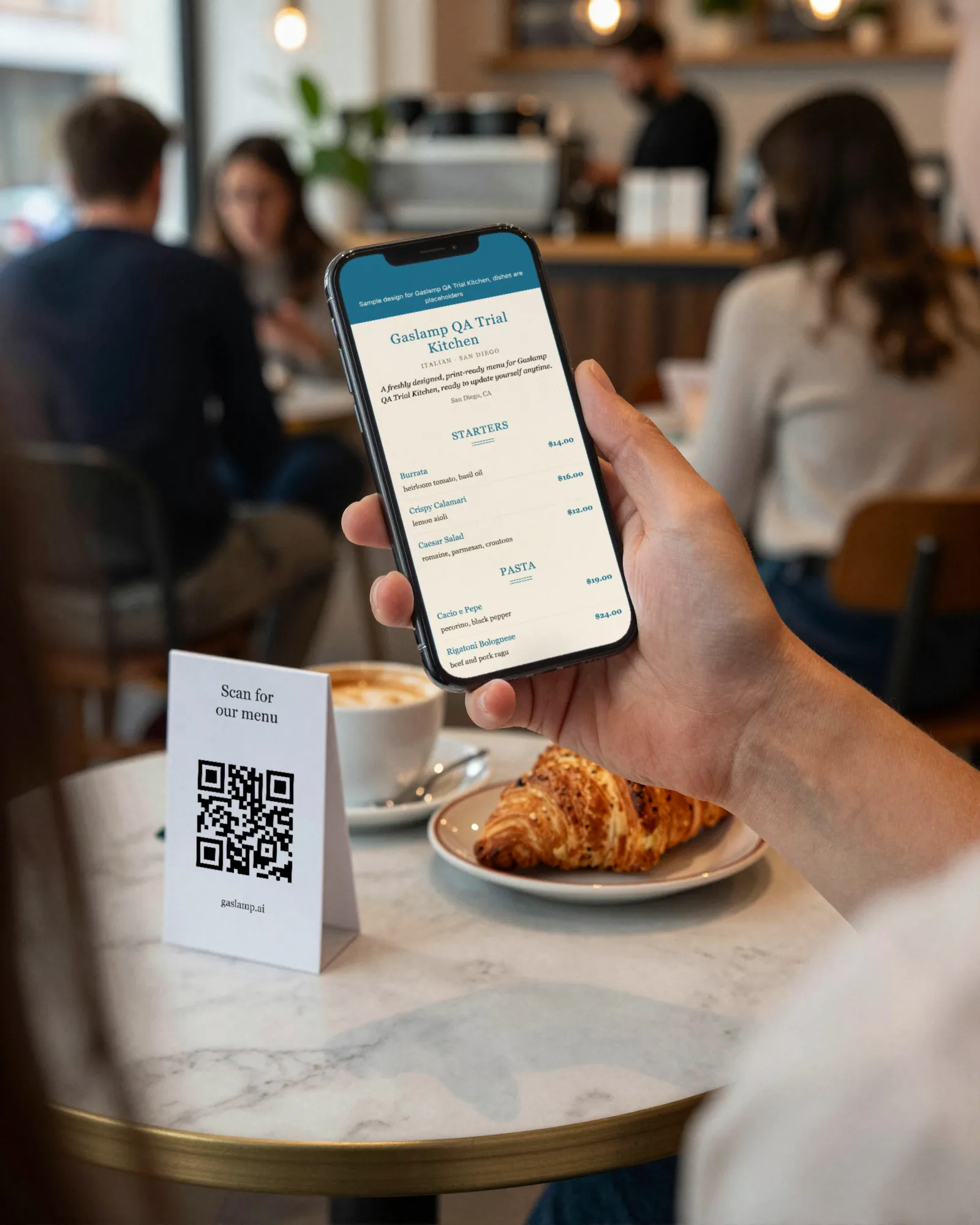
The restaurant name, the menu name, then the sections in order, each dish with its price on the right and a description under it. Dietary tags show as small marks beside the dish. Item photos, if you add them, show on the hosted menu. The page is plain HTML with no app, no login, and no tracking pop-up, so it opens fast on a weak signal in a back booth.
It is also marked up so search engines can read the dishes and prices as a menu, which is a quiet advantage over a PDF. Whether Google shows those dishes in search is up to Google.
Digital menu and printed menu, from one edit
Gaslamp keeps one menu. The hosted page and the print-ready PDF are two outputs of it. Change the oysters from 16 to 18 and the PDF you download next already says 18. There is no second file to remember, and no afternoon spent making the website match the paper. See printable menus for paper sizes and printing.
What Gaslamp does not do
- It does not run menu boards or screens. The hosted menu is a web page, so a screen can show it, but we do not manage signage.
- It does not take orders or payments. The QR opens the menu; ordering happens with your staff or your POS.
- It does not sync with your POS, delivery apps, or Google Business Profile. Gaslamp updates its own hosted menu and the next PDF; those systems each need their own edit. Our price update guide lists every place a price lives.
- Up to three labeled prices per item (sizes, pours, glass and bottle), up to $9,999.
Which kind of place this fits
A hosted digital menu earns the most where the menu changes the most: cocktail bars with a rotating list, taprooms where kegs kick mid-shift, cafés that sell out of pastries by ten, and food trucks whose printed board cannot change itself. The restaurant-type pages cover what changes on each kind of menu and how to set it up.