Diner menu makerBreakfast all day. Pie until it is gone.
A diner menu is the biggest menu in town. Breakfast runs all day, the specials board changes every morning, the pie case empties in its own order, and the lights stay on long after everyone else has closed. Gaslamp keeps the booth menus, the specials, and the QR on every table as one menu you change from your phone at the counter.
No card needed · then $19/mo or $190/yr · cancel anytime
What changes on a diner menu, and how often
A menu is designed once and edited forever. These are the edits this kind of place makes, and what each one takes in Gaslamp.
| The change | How often | In Gaslamp |
|---|---|---|
| The daily specials change | Every morning | Keep a Specials section at the top. Rewrite it before the doors open; the soup of the day goes there too. |
| A pie runs out | Most nights | Each pie is an item in the Pie case section. Mark the one that is gone sold out. |
| Egg or coffee prices move | A few times a year, sometimes fast | Edit them on your phone and save. Phones scanning the table code get the new number about thirty seconds later; reprint the booth menus when the price sticks. |
| Breakfast, lunch, and dinner all at once | Every hour you are open | One menu with all three as sections. Nothing switches at eleven, which is how a diner wants it. |
| The blue plate rotates | By the day of the week | Keep the weekday plates in their own section and hide the ones that are not today. |
1:10 a.m.
Last slice of coconut cream at 1:10. Off the menu at 1:11.
The late crowd found the pie case. Between coffee refills, mark the coconut cream sold out and tap Save & update live menu. The next booth that scans the code sees it struck through and picks from the pies still in the case. Put it back on when the morning bake fills it.
The editor runs in your phone’s browser; there is no app to install. The menu rebuilds in about two seconds, and phones that scan the code see the change about thirty seconds after you save.
Your phone

The menu

How diners set up their menus in Gaslamp
Menus
- All daySpecials, breakfast, sandwiches, plates, pie, drinks
- Second menu (if you need it)A long diner menu split in two, each with its own code
Sections, for example
- Today’s specialssoup of the day and 2 to 4 plates
- Eggs & omeletsup to 12
- Griddlepancakes, waffles, French toast
- Sandwiches & burgersup to 12
- Platesmeatloaf, chicken-fried steak, the blue plates
- Sideshash browns, toast, bacon, up to 12
- Pie caseby the slice, about 8
- Drinks & shakescoffee, shakes, malts, juice
A menu holds twelve sections of twenty items, 240 lines. If yours runs longer, split it into two menus, Breakfast and Lunch & dinner, or take it as the reason to cut the dishes nobody orders.
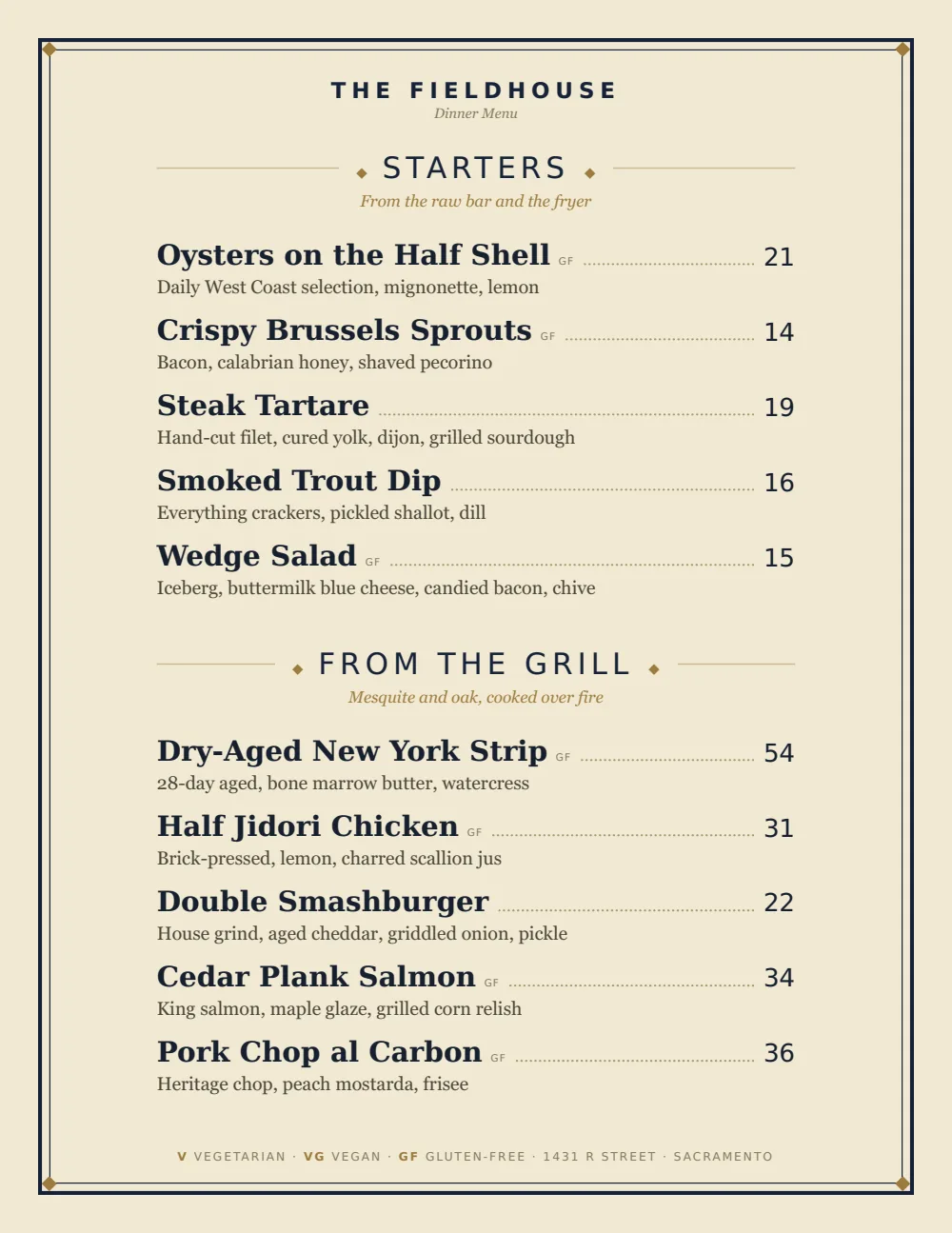
Start with Classic American
Plain sections and clear prices, set the way a diner menu has always been set. It holds a long list without shrinking the type and prints well for menus that get laminated and wiped down all day.
Start from the sample menu set in Classic American, then type your dishes and prices over it in the editor. After that, the job is keeping it right from your phone.
Where the QR code goes
Each menu gets one code, and it never changes. Print it once; every edit after that shows up behind it. Gaslamp makes the printable pieces for you.
From the floor: Put the specials on the QR menu, not only the whiteboard. The board hangs behind the counter where most of the booths cannot see it; the code on the table can.
- Table tentin every booth, next to the ketchup, for the slice of pie nobody planned on
- Counter cardalong the counter, for the regular who orders without looking and the newcomer who needs to
- Window signfor the late crowd deciding where to eat after the bars close
Good to know before you start
- Twelve sections of twenty items, 240 items per menu. A very long diner menu may need two menus, each with its own QR code, and a second menu needs a paid plan.
- Up to three labeled prices per item, so a short and a full stack, or a slice and a whole pie, share one line.
- No time-of-day switching, which suits breakfast all day. If something does stop at a set hour, say so in the description (“until 11 a.m.”) or hide it by hand.
- The pie that is gone shows struck through with a “Sold out” label until you put it back on, and the next printed PDF leaves it off.
Diner menu questions
- How do I fit a big diner menu into Gaslamp?
- A menu holds twelve sections of twenty items. If yours runs longer, split it into two menus, such as Breakfast and Lunch & dinner, each with its own QR code and PDF. A second menu needs a paid plan; the trial includes one.
- How do I update the daily specials?
- Keep a Specials section at the top of the menu and rewrite it each morning on your phone: the soup, the blue plate, the pie of the day. Save, and the hosted menu has it about thirty seconds later.
- Can I serve breakfast all day on one menu?
- Yes, and it is the simplest setup. Breakfast, lunch, and dinner are sections on one menu. Gaslamp does not switch menus by time of day, which is exactly what an all-day menu wants.
- Can I print menus for the booths?
- Yes, on a paid plan. Download the print-ready PDF and print and laminate it yourself or at a print shop. Gaslamp does not print or ship menus. The QR on the table stays current between reprints.
- How much does it cost?
- Start with a 30-day free trial, no credit card needed. Then it is $19 a month, or $190 a year (2 months free). No setup fee. Cancel anytime. The trial includes one published live menu with QR codes. PDF downloads and additional menus start when you pick a plan.
The coffee is always on. The menu can always be right.
No card needed · then $19/mo or $190/yr · cancel anytime