Thai restaurant menu makerNo ripe mangoes today. No mango sticky rice on the menu.
A Thai menu is a grid in disguise. The same green curry, pad kee mao, and basil stir-fry come with chicken, tofu, beef, or shrimp at different prices, each on a heat scale the kitchen moves up or down on request. Add lunch specials, a chef’s specials list that comes and goes, and names in Thai script beside the English. Gaslamp keeps it all on one menu you change from your phone before the rice is on.
No card needed · then $19/mo or $190/yr · cancel anytime
What changes on a Thai restaurant menu, and how often
A menu is designed once and edited forever. These are the edits this kind of place makes, and what each one takes in Gaslamp.
| The change | How often | In Gaslamp |
|---|---|---|
| The mangoes are not ripe, or run out | Whenever the case is not ready | Mark mango sticky rice sold out and save; within about thirty seconds it shows struck through on the QR menu. |
| Chef’s specials come and go | Every week or two | Keep a Chef’s specials section. Show it when the kitchen is making them and hide it when they are done; hidden dishes wait there for next time. |
| Lunch specials run on weekdays | Every weekday | Give them their own section with the hours and what comes with them in the note under the heading. Gaslamp does not switch it by the clock. |
| Shrimp costs move | A few times a year | If each protein is its own item, change the shrimp lines. If each curry is one line with “shrimp +4” in the description, change the description. |
| A dish gets hotter or milder | When the cook changes the curry base | Update the heat in the description and check the spicy tag. Gaslamp shows what you write. |
6:15 p.m.
The last ripe mango went at 6:15. Dessert changed at 6:16.
The case was short this week and the last good mango went on a plate for table three. On your phone, mark mango sticky rice sold out and save. Within about thirty seconds, the table scanning the code for dessert sees it struck through and picks the coconut ice cream instead of asking. Put it back on when the next box ripens.
The editor runs in your phone’s browser; there is no app to install. The menu rebuilds in about two seconds, and phones that scan the code see the change about thirty seconds after you save.
Your phone

The menu

How Thai restaurants set up their menus in Gaslamp
Menus
- DinnerStarters, soups, salads, curries, stir-fries, noodles, rice, dessert
- Lunch (optional)Lunch specials on their own menu and code, if the list is long
Sections, for example
- Chef’s specials2 to 4, shown when the kitchen makes them
- Lunch specialsabout 8, hours in the section note
- Starters & saladssatay, larb, som tum, about 10
- Soupstom yum, tom kha, about 4
- Curriesone per curry, protein choices in the description
- Stir-friespad kra pao, cashew, garlic, about 8
- Noodles & fried ricepad thai, pad see ew, khao soi, up to 12
- Desserts & drinksmango sticky rice, Thai iced tea
Twelve sections of twenty items. One line per curry, with up to three proteins as labeled prices, keeps Curries short.
Start with Modern Asian
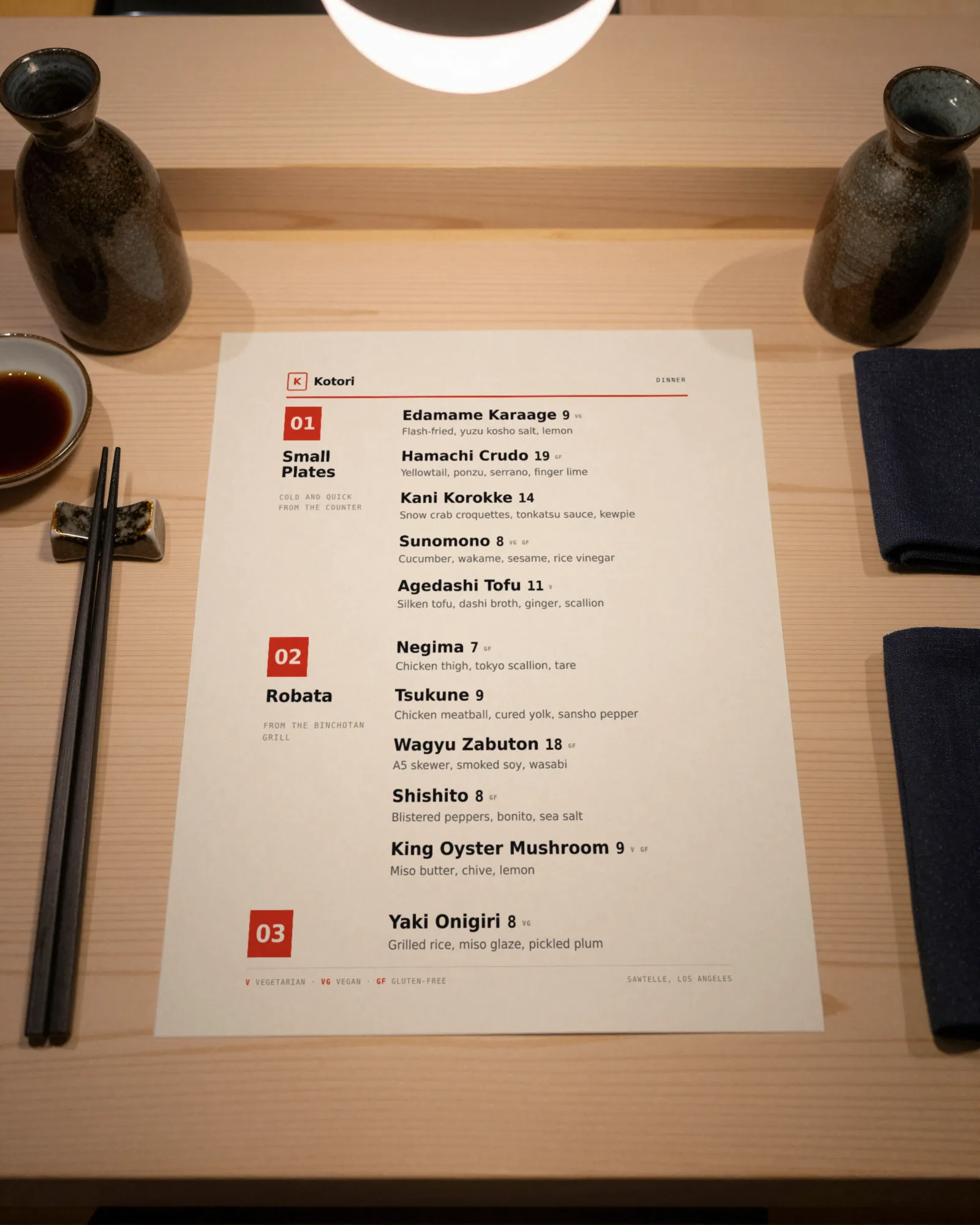
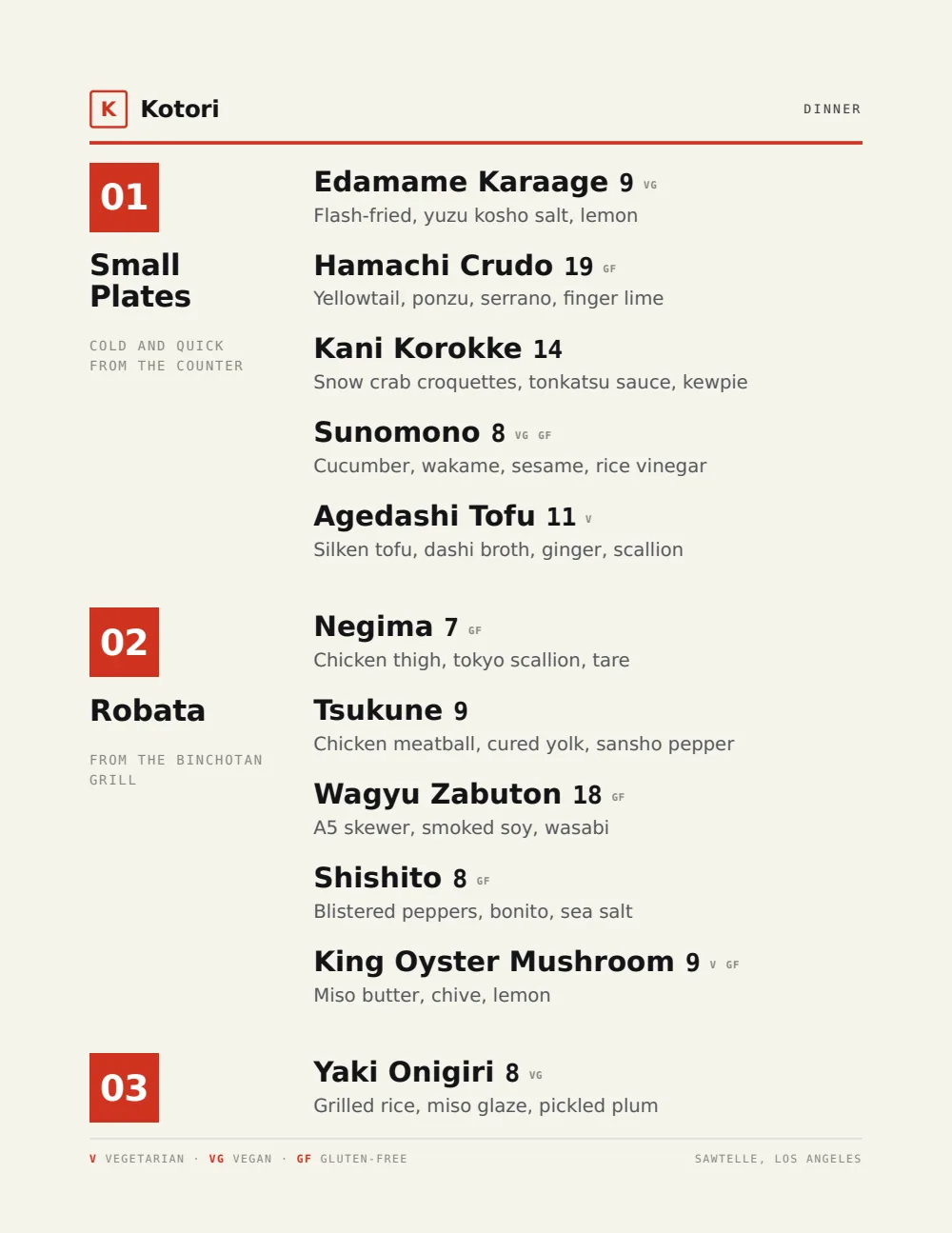
Lacquer red on black ink, laid out on a grid that suits short dish names and small prices. On the hosted menu the Thai name and the English share one line, and a curry’s protein choices sit in the description without crowding the page.
Start from the sample menu set in Modern Asian, then type your dishes and prices over it in the editor. After that, the job is keeping it right from your phone.
Where the QR code goes
Each menu gets one code, and it never changes. Print it once; every edit after that shows up behind it. Gaslamp makes the printable pieces for you.
From the floor: Tell guests how the heat works before they ask. A line in the note under the first section, such as “Any dish mild to Thai hot, just ask”, answers the question every table has.
- Table tentfor the Thai iced tea and the dessert after the curries
- Counter cardat the pickup shelf, for the takeout regular reading the chef’s specials while the bag is packed
- Window signwith the lunch specials, for the weekday crowd deciding before noon
Good to know before you start
- Up to three labeled prices per item, so a curry can show Chicken, Beef, and Shrimp prices on one line. A fourth protein goes in the description as an upcharge or on its own line.
- Spice is a tag, not a scale. The spicy tag marks hot dishes; the level and “can be made mild” go in the description.
- No language switch or translation. Write the Thai script and the English on one line, as in “ผัดไทย Pad thai”; both show on the hosted menu. We have not verified that the print PDF carries Thai script, so proof it before you print.
- No time-of-day switching. Lunch specials stay up with their hours in the section note until you hide them.
Thai restaurant menu questions
- How do I price a curry with a choice of protein?
- Give the curry up to three labeled prices on one line, for example Chicken, Beef, and Shrimp. With more choices, price the base protein and put the upcharges in the description, for example “pork or tofu same price; shrimp +4”.
- Can my menu show Thai script and English?
- Yes, on one line. Gaslamp has no language switch or translation, so type both into the dish name, for example “ผัดไทย Pad thai”, and they show on the hosted menu, which uses the phone’s own fonts. We have not verified that the print PDF carries Thai script, so do not count on the printed version; download a proof on a paid plan and check it before you print.
- How do I show spice levels on a Thai menu?
- Write the level in each description and add the spicy tag to the dishes that are hot as served. There is one spicy tag, not a scale, so the description carries “mild”, “medium”, or “Thai hot”.
- Can a chef’s specials section show only some days?
- Yes, by hand. Build it once and switch the whole section on or off from your phone. Hidden sections keep their dishes, so the specials are ready the next time the kitchen makes them. Gaslamp does not show them on a schedule.
- How much does it cost?
- Start with a 30-day free trial, no credit card needed. Then it is $19 a month, or $190 a year (2 months free). No setup fee. Cancel anytime. The trial includes one published live menu with QR codes. PDF downloads and additional menus start when you pick a plan.
The mangoes ripen when they ripen. The menu can follow.
No card needed · then $19/mo or $190/yr · cancel anytime