BBQ menu makerBrisket sold out at 1:48. The menu can say so.
A barbecue menu is meat by the pound and meat by the plate, a column of sides, a few sauces, and a line that forms before the doors open. Selling out by early afternoon is the plan, not a problem, and some cuts only exist on Fridays. Gaslamp keeps the board over the cutting block, the QR for the line, and the catering trays as menus you change from your phone with the butcher paper still in your hand.
No card needed · then $19/mo or $190/yr · cancel anytime
What changes on a barbecue menu, and how often
A menu is designed once and edited forever. These are the edits this kind of place makes, and what each one takes in Gaslamp.
| The change | How often | In Gaslamp |
|---|---|---|
| A meat sells out | Every day, usually early afternoon | Mark the meat sold out, and the QR menu shows it struck through about thirty seconds after you save; the next printed PDF leaves it off. |
| Some cuts run only certain days | Every week | Keep burnt ends, beef ribs, and the like in a Daily section, hidden until the day they come off the smoker. |
| The whole day is sold out | Most busy Saturdays | Mark the meats sold out, so each shows struck through with a “Sold out” label, and put “Back tomorrow at 11.” in the subtitle of the Meats section. |
| Brisket costs move | Several times a year | Reprice the pound and the plate from your phone. The QR menu follows, and the board gets a fresh print once the price holds. |
| A catering order comes in | Most weeks | Send the link to the catering menu, with trays and what each feeds in the descriptions. |
1:48 p.m.
The last brisket was sliced at 1:48. Off the menu at 1:49.
The line is still twenty people deep and the brisket is gone. Wipe your hands, mark brisket by the pound and the brisket plate sold out, and tap Save & update live menu. The people at the back reading the code on the line sign see them struck through and order pork and ribs instead of waiting to hear it at the block. Put them back on when tomorrow’s cook comes off.
The editor runs in your phone’s browser; there is no app to install. The menu rebuilds in about two seconds, and phones that scan the code see the change about thirty seconds after you save.
Your phone

The menu

How barbecue joints set up their menus in Gaslamp
Menus
- CounterMeats, plates, sandwiches, daily cuts, sides, sauces, dessert, drinks
- CateringTrays by the pound and by the crowd, on its own menu and code
Sections, for example
- Meatsbrisket, pork, ribs, sausage, turkey, per lb, until it runs out in the subtitle
- Platesone or two meats with two sides, about 6
- Sandwichesabout 5
- Dailyburnt ends, beef ribs, hidden until their day
- Sidesindividual, with the pint price in the description
- Sauces & extrasbottled sauce to go, pickles, bread
- Dessertbanana pudding, cobbler, pie
- Drinkssweet tea, sodas, beer
Twelve sections of twenty items. Each meat shows up twice, once in Meats with Half lb and Per lb prices and once as a plate, which is how most barbecue boards already read.
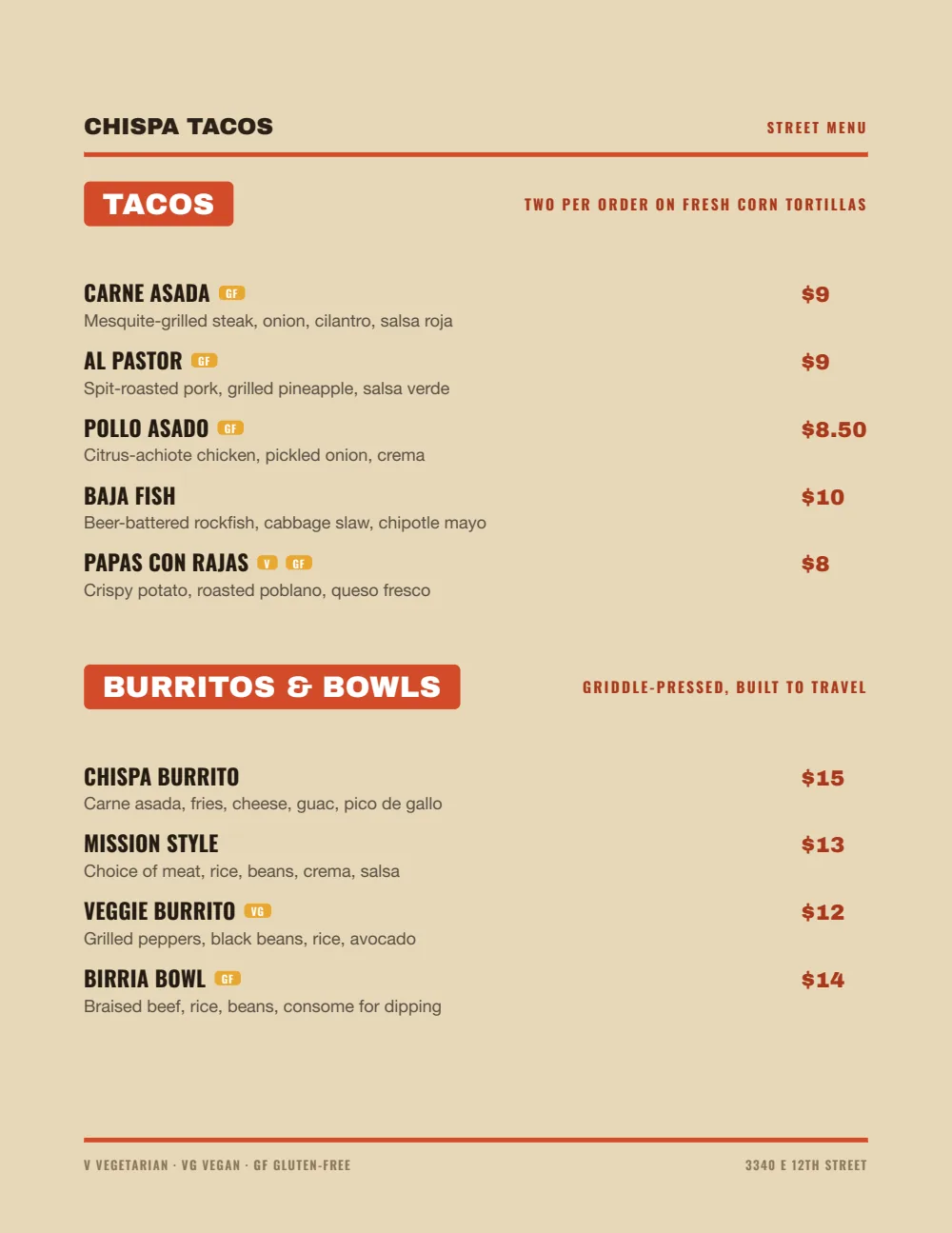
Start with Food Truck
Heavy names and big prices on the right, the closest of the eight designs to a painted board, legible to the last person in line and on a phone in the sun.
Start from the sample menu set in Food Truck, then type your dishes and prices over it in the editor. After that, the job is keeping it right from your phone. See the free template for the full layout.
Where the QR code goes
Each menu gets one code, and it never changes. Print it once; every edit after that shows up behind it. Gaslamp makes the printable pieces for you.
From the floor: Put the line sign halfway down the line, not at the door. The people who most need to know the brisket is gone are the ones who have already waited forty minutes.
- Line signhalfway down the line, so people know what is left and what they want by the time they reach the block
- Window signfor the drive-by check on whether the brisket is still on
- Catering cardat the register, with the code for the tray menu
Good to know before you start
- Up to three labeled prices per item, so brisket can show Half lb and Per lb on one line; the plate is its own item. Gaslamp shows the price; weighing and ringing up stay at the block.
- A sold-out meat stays on the list, struck through with a “Sold out” label; a hidden one leaves it. If the whole day is done, say so in a section subtitle too.
- Prices go up to $9,999 per item, so a whole packer brisket or a tray for fifty carries its real price.
- No schedule. The Daily section goes on with a tap the morning a cut comes off; Gaslamp does not do it by the day of the week.
Barbecue menu questions
- How do I list barbecue by the pound and by the plate?
- Make them separate items. “Brisket, per lb” sits in a Meats section at its pound price, and “Brisket plate, two sides” sits under Plates. Give the pound line two labeled prices, Half lb and Per lb.
- What happens on the menu when the brisket sells out?
- Mark it sold out and save; about thirty seconds later the menu your QR code opens shows it struck through with a “Sold out” label. The next PDF you print leaves it off. Put it back on tomorrow.
- Can I have a separate catering menu for trays?
- Yes, on a paid plan, where menus are unlimited. Trays go on their own menu with how many each feeds in the description, their own code, and their own PDF to send to offices. Prices go up to $9,999, so a tray for fifty carries its real price.
- How do I show cuts we only smoke on certain days?
- Keep them in a Daily section and name the day in each description (“Fridays, until they run out”). Show the item the morning it comes off the smoker and hide it when it is gone. Gaslamp does not switch items on by the calendar.
- How much does it cost?
- Start with a 30-day free trial, no credit card needed. Then it is $19 a month, or $190 a year (2 months free). No setup fee. Cancel anytime. The trial includes one published live menu with QR codes. PDF downloads and additional menus start when you pick a plan.
It sells out by two. The menu should know by 2:01.
No card needed · then $19/mo or $190/yr · cancel anytime