Food truck menu template
Read from the back of the line, in full sun, before anyone reaches the window. Gaslamp’s Food Truck design does it with kraft paper, condensed caps, red section tabs, and big prices.
No card needed · then $19/mo or $190/yr · cancel anytime
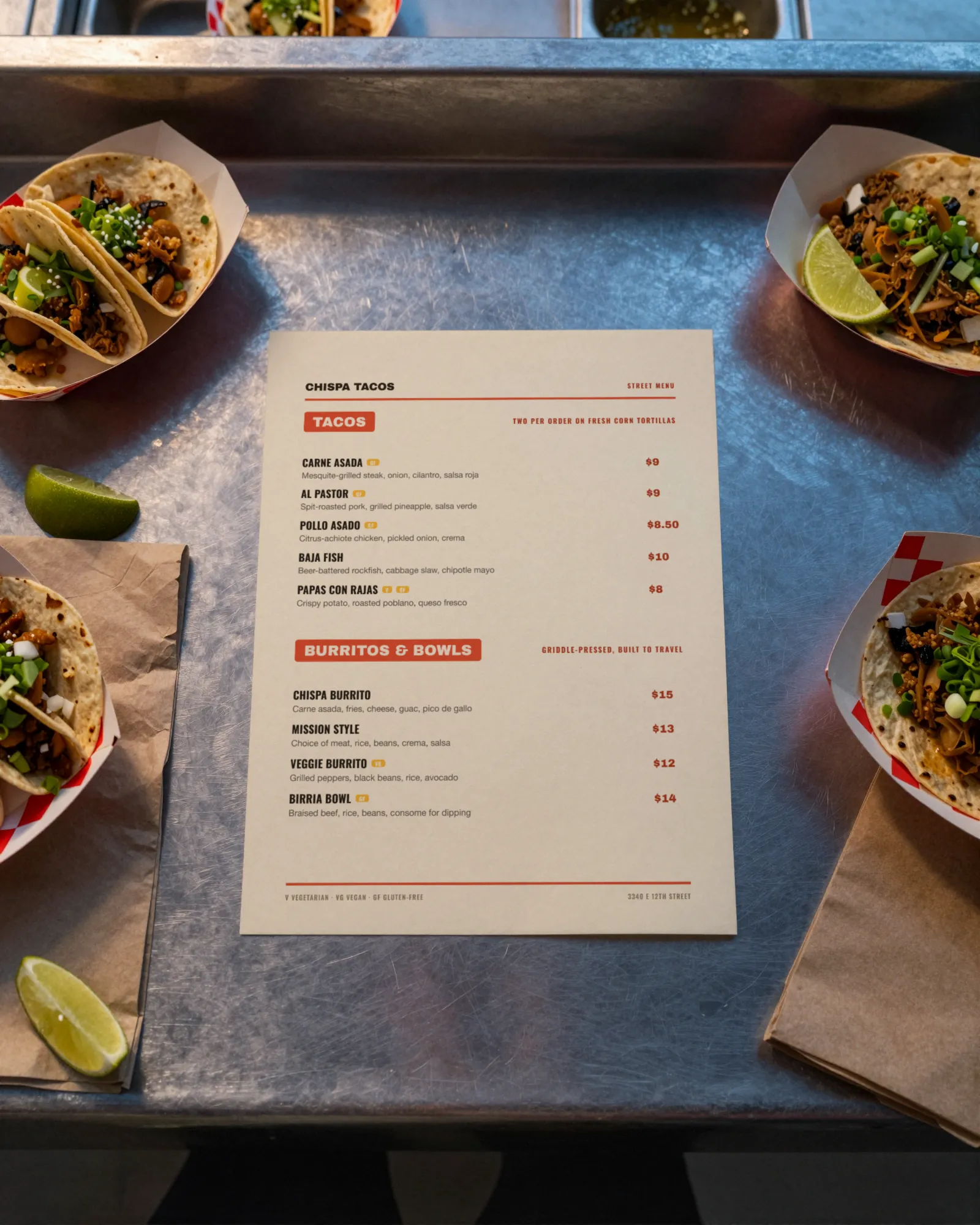
The real menu, both pages
The sample is Chispa Tacos, a fictional taco truck in Oakland: tacos, burritos and bowls, sides, drinks and sweets, prices in bold red on the right.
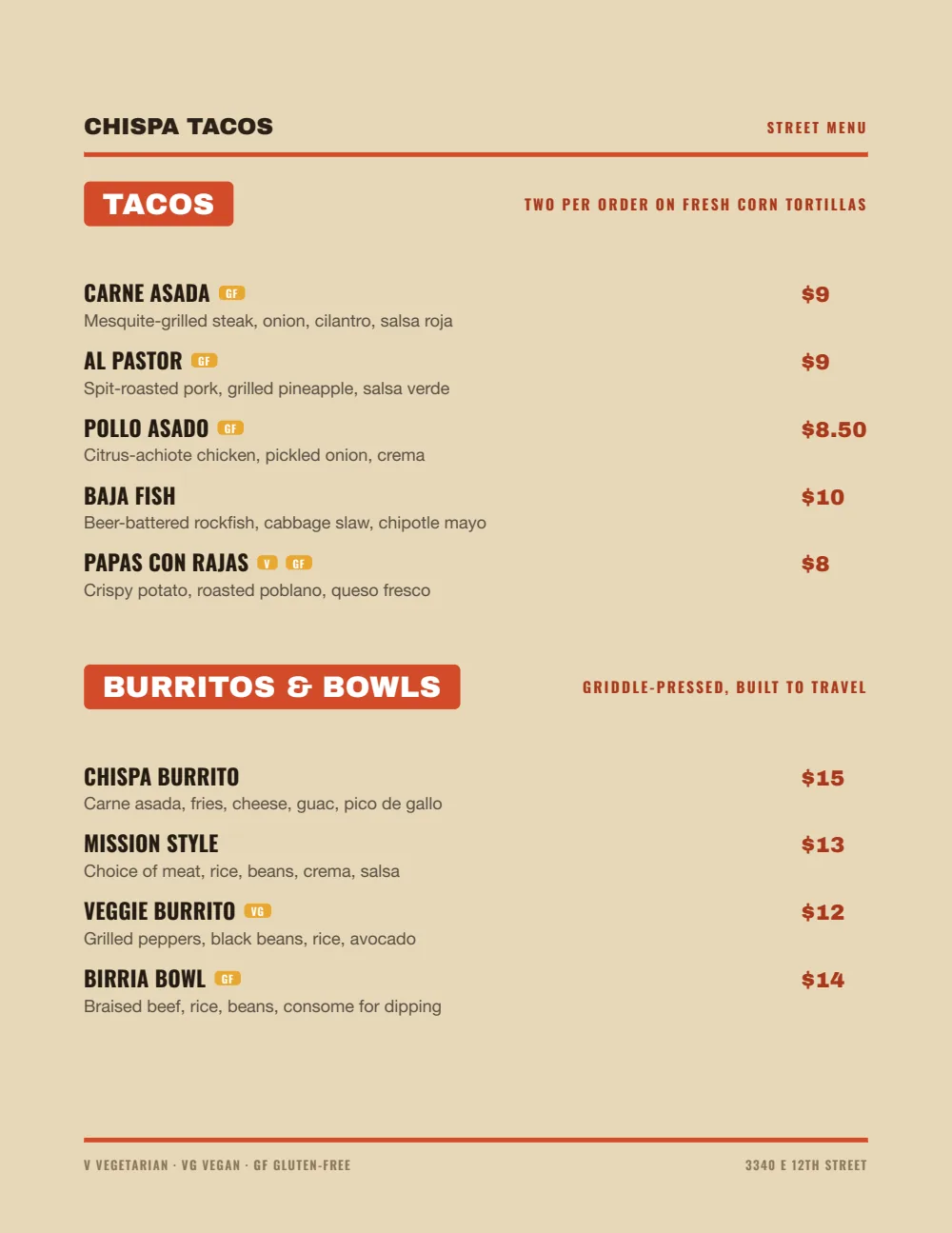
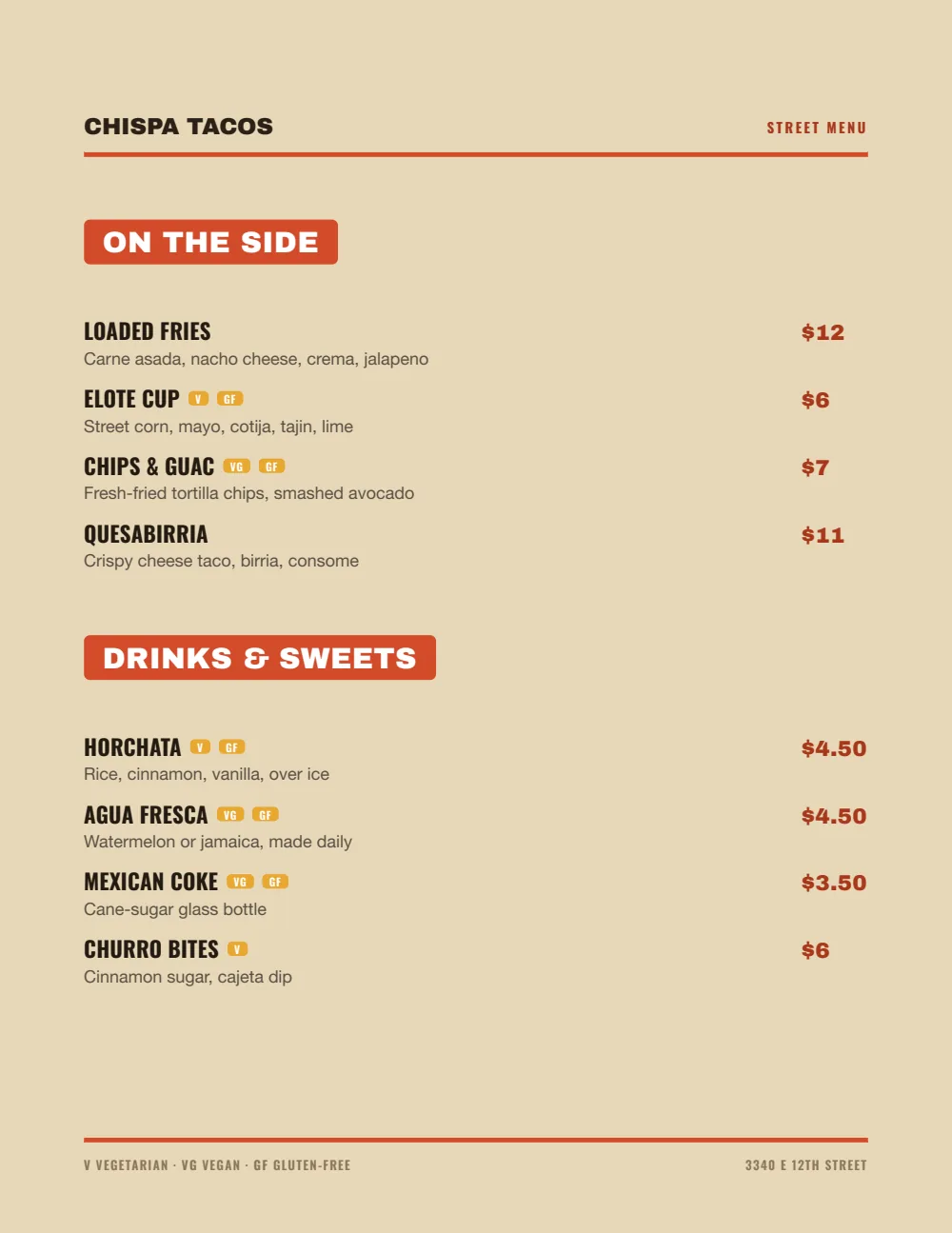
- The filePDF, 52 KB
- Pages3, with a coverThe cover carries the name and a QR code to the live menu.
- PaperUS Letter, portrait
- To download and printfree
No signup, no email. It is a finished sample, so it carries sample dishes. Putting your own menu into it takes the free trial. The trial includes one published live menu with QR codes. PDF downloads and additional menus start when you pick a plan.
Built for the back of the line
Nobody reads a food truck menu. They scan it from across the sidewalk while deciding whether the line is worth it. Everything on it has to survive that.
Few sections
Three or four: the main thing, the other thing, sides, drinks. A section with one item folds into another.
Few items
A handful per section. Every extra line is another decision at the window, and the line behind it waits.
Short names, big prices
Two or three words in caps, the price bold on the right, one line of description at most. Guests should be able to point and pay.
- Carne asada$9
- Al pastor$9
- Pollo asado$8.50
Combos first
If you sell a combo, put it at the top and price it as one line.
A QR at the window
Print your QR code on a window sign. The line reads the whole menu on their phones while they wait, and it is right even after you sell out of birria.
Example lines and prices show format only. They are not pricing advice.
Set it up in Gaslamp
- 1
Keep it short
Short names, one line of description or none. If the truck board has it, type exactly that.
- 2
Pick Food Truck
Kraft paper, red-orange tabs, condensed caps, the prices big on the right.
- 3
Print it big
The PDF is US Letter with vector text, so a print shop can enlarge it for the side of the truck without the type going soft.
- 4
Put the QR in the window
Print a window sign with your QR code. Sell out mid-shift, mark the item sold out from your phone, and the menu on every phone in line shows it struck through.
Food truck menus, straight answers
- Is this food truck menu template free?
- Yes. The Food Truck PDF on this page is free to download and print, with no signup. It is a finished sample for Chispa Tacos in Oakland, a fictional restaurant, so it carries that restaurant’s dishes. To put your own menu into the design, start the 14-day free trial, no card needed. The trial includes one published live menu with QR codes. PDF downloads and additional menus start when you pick a plan.
- How many items should a food truck menu have?
- As few as you can sell well. A common rule of thumb is three or four sections with a handful of items each; past that, the board gets hard to read from the line.
- Can I print it large for the truck?
- The PDF is US Letter with vector text, so a print shop can enlarge it to board size. Print the QR code separately as a window sign at a size people can scan.
- Can I change prices from the truck?
- Yes, from your phone. The hosted menu behind your QR code updates about thirty seconds after you save.
- How much does it cost?
- Start with a 30-day free trial, no credit card needed. Then it is $19 a month, or $190 a year (2 months free). No setup fee. Cancel anytime. The trial includes one published live menu with QR codes. PDF downloads and additional menus start when you pick a plan.
More templates
Every design takes every menu. Switch between them anytime and your dishes stay put.
If you run one, Menu software for food trucks covers what changes on menus like yours and how often.
The free QR code menu generator makes a code for whatever menu you have now.
All menu templates
Sold out of birria at 1:15. The window QR should know by 1:16.
No card needed · then $19/mo or $190/yr · cancel anytime