Sushi bar and izakaya menu makerThe uni did not come in. The menu should know.
A sushi menu depends on the morning delivery. Nigiri is priced by the pair, the rolls are their own long list, the omakase is one price for whatever the chef cuts tonight, and some mornings the uni simply does not arrive. Gaslamp keeps the sushi menu, the izakaya small plates, and the sake list as menus you change from your phone before service.
No card needed · then $19/mo or $190/yr · cancel anytime
What changes on a sushi bar menu, and how often
A menu is designed once and edited forever. These are the edits this kind of place makes, and what each one takes in Gaslamp.

| The change | How often | In Gaslamp |
|---|---|---|
| A fish does not arrive | A few times a month | Mark the nigiri, the sashimi, and any roll built on it sold out. Thirty seconds or so after you save, they show struck through on the QR menu. |
| A seasonal fish comes in | Every few weeks | Add it to a Today section with its origin in the description. Hide it when the last of it is cut. |
| The omakase changes | Every night | It is one line with one price. Rewrite the description, or keep it short: chef’s choice and the number of pieces. |
| A market-priced piece moves | Whenever the supplier’s price does | There is no market price setting. Change the price on your phone the day it moves, or write market price in the Today section note and let the chef quote it. |
| The sake list changes | When a bottle sells through | Keep sake on its own menu, with grade, region, and serving temperature in each description. |
4:45 p.m.
No uni at 4:45. Off the menu at 4:46.
The delivery came without it. Before the first seating, mark the uni nigiri and the roll that uses it sold out, and tap Save & update live menu. Guests at the counter who scan the code see them struck through and order from what is actually in the case. Put them back on the day the uni comes in.
The editor runs in your phone’s browser; there is no app to install. The menu rebuilds in about two seconds, and phones that scan the code see the change about thirty seconds after you save.
Your phone

The menu

How sushi bars set up their menus in Gaslamp
Menus
- Sushi & kitchenOmakase, nigiri, sashimi, rolls, small plates
- Sake & drinksSake by the glass and bottle, beer, shochu, on its own menu and code
Sections, for example
- Omakaseone line, one price, the pieces in the description
- Todayseasonal and market-priced fish, hidden when empty
- Nigiritwo pieces an order, up to 12
- Sashimiabout 8
- Rollsup to 12
- Hand rollsabout 6
- Small platesedamame, karaage, agedashi tofu
- Soup, rice & dessertmiso, rice, mochi
Twelve sections of twenty items. A long nigiri list splits into Fish and Shellfish & roe; a long roll list into Classic and House.
Start with Modern Asian
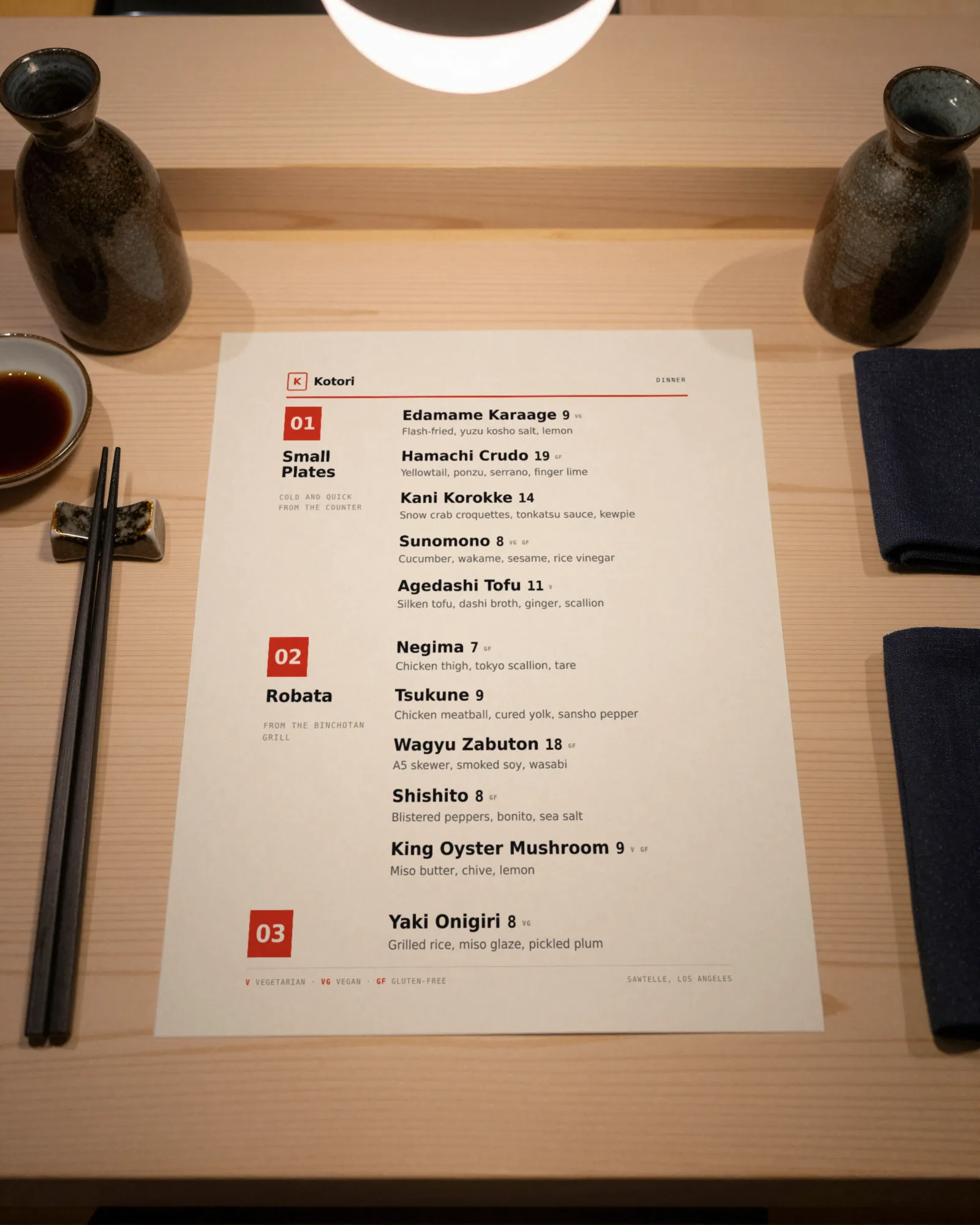
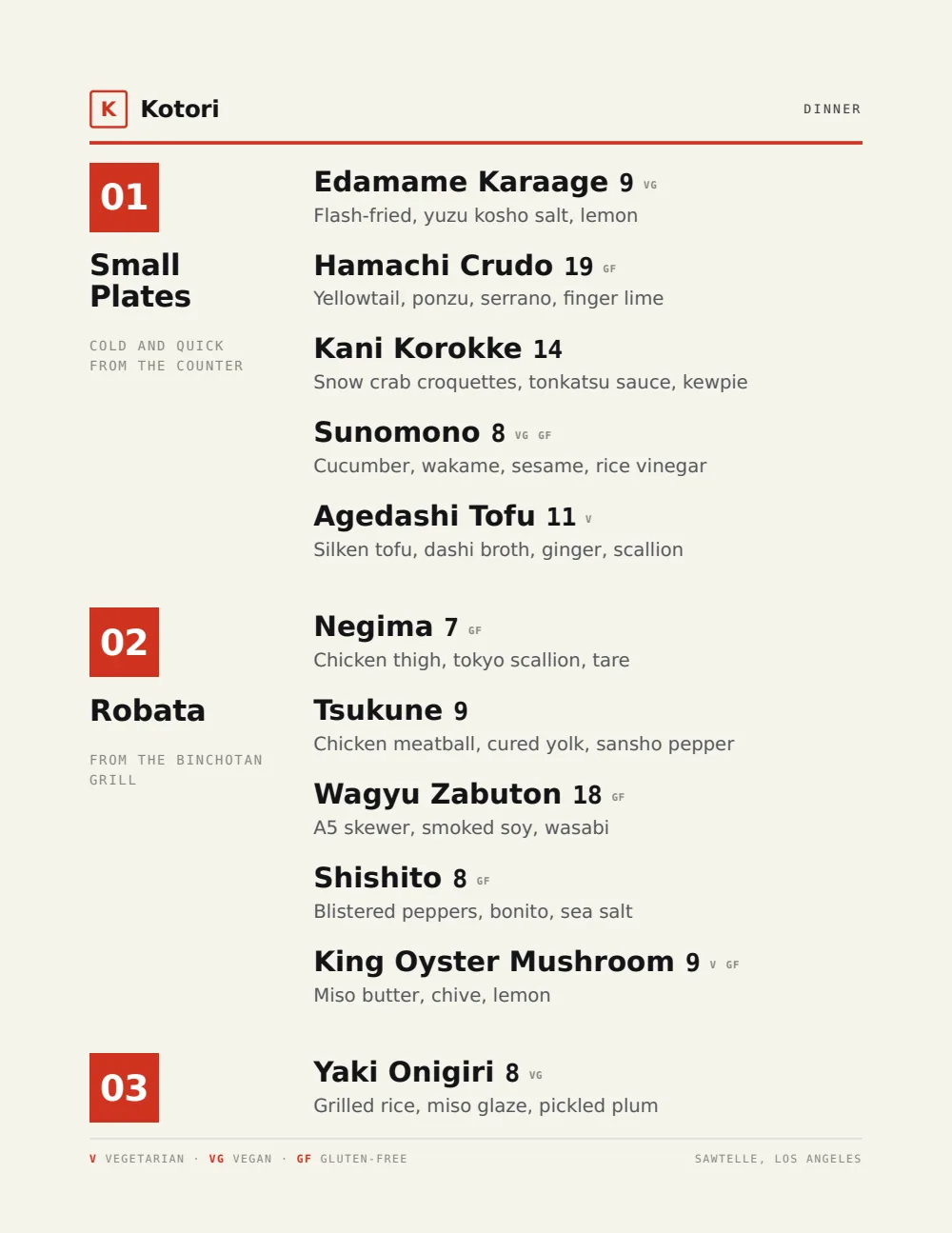
Black ink, lacquer red, and a clean grid for short names and small prices. A nigiri list reads straight down, and the omakase line has room for a long description.
Start from the sample menu set in Modern Asian, then type your dishes and prices over it in the editor. After that, the job is keeping it right from your phone. See the free template for the full layout.
Where the QR code goes
Each menu gets one code, and it never changes. Print it once; every edit after that shows up behind it. Gaslamp makes the printable pieces for you.
From the floor: Item photos show on the hosted menu, not on the printed PDF. A photo of each house roll does more on the phone than a list of what is in it, and the paper menu stays clean.
- Counter cardalong the sushi bar, for the next pair of nigiri without waiting to catch the chef’s eye
- Table tentfor the second round of small plates and a bottle of sake
- Window signfor the takeout order read on the sidewalk and called in
Good to know before you start
- Up to three labeled prices per item, so nigiri can show 1 pc and 2 pc on one line.
- No market price option. A market-priced piece either carries today’s price, changed when it moves, or sits in the section note as market price for the chef to quote.
- Prices go up to $9,999 per item, so an omakase carries its real per-guest price, with any supplements as priced lines underneath.
- No language switch. Write the Japanese name and the English together (“Hamachi · yellowtail”) and both show on paper and on the phone.
Sushi bar menu questions
- How do I price nigiri by the piece or the pair?
- Give each fish two labeled prices on one line, 1 pc and 2 pc; an item takes up to three. If you only sell pairs, put the count in the name (“Hamachi, 2 pc”) and use one price.
- How do I list omakase on a sushi menu?
- As one item at the omakase price, with the number of pieces or courses in the description. Prices go up to $9,999, so any omakase fits as a priced line, with supplements as priced lines below it.
- What do I do when a fish does not arrive?
- Mark every item that uses it sold out and save. About thirty seconds later the menu your code opens shows them struck through with a “Sold out” label, until you put them back on. Hide them instead if the fish is off for the season.
- Can I show Japanese names with English translations?
- Yes, on the same line. There is no language switch, so put the Japanese and the English together in the name, like “Hamachi · yellowtail”, and the pair appears on paper and on the phone.
- How much does it cost?
- Start with a 30-day free trial, no credit card needed. Then it is $19 a month, or $190 a year (2 months free). No setup fee. Cancel anytime. The trial includes one published live menu with QR codes. PDF downloads and additional menus start when you pick a plan.
Whatever is in the case at five is what the menu says at five.
No card needed · then $19/mo or $190/yr · cancel anytime