
The date and the clock
In 2026 the party run sits between Thanksgiving, Thursday, November 26, and Christmas Eve, Thursday, December 24. That leaves four weeks. Decide now which nights and which lunches you will give to parties and which you keep for the dining room, because a buyout on a December Saturday is a decision about your regulars too.
The menu has to exist before the first inquiry, because hosts decide from it, and inquiries can start as early as October. Have the packages priced by then. The final menu for each party is set about a week out, when the host sends the head count and the choices; after that, only swaps you are forced into.
The one decision: packages or custom. Custom menus for every party sound generous and eat a manager’s December. Two or three fixed packages at clear prices, with a short list of allowed swaps, get parties booked faster and cooked better.
Timeline: six weeks out to the morning after
This is the party-specific calendar; each party runs the same steps against its own date. The general work of changing a menu is in the seasonal menu changeover checklist.
| When | Kitchen | Bar | Front of house | The menu |
|---|---|---|---|---|
| Six weeks before the first party | Write two or three packages that fire as a group. | Write bar packages: beer and wine, full bar, per hour or per drink. | Decide the minimum spend, the room fee, and the deposit rule. | Build one menu per package and publish them. |
| At the inquiry | Nothing yet. | Nothing yet. | Reply with the package links and prices the same day. | Send the QR link or the PDF of each package. |
| At booking | Note allergies and dietary counts. | Note the bar package and the tab rule. | Take the deposit in your own system. | Copy the package into a menu for this party, with the host’s name. |
| One week out | Final head count and choices in. | Order for the count. | Confirm the timeline with the host. | Update the party menu. Print it. |
| The night | Fire courses to the host’s timeline, not the ticket rail. | Track the tab against the package. | One server owns the party. | Swap a dish on the party menu if you must. |
| The morning after | Note what came back. | Close the tab. | Send the invoice and a thank you. | Hide the party menu. Keep it for their booking next year. |
What to serve a party of twenty
A party menu is built for the pass, not the table. Every plate in a course leaves at once, so every dish on it must hold for a few minutes and plate fast. A package usually looks like this:
- Passed or family-style starters. Two or three things on platters. They start the party while the late arrivals come in.
- A plated first course. A salad or soup, no choice. It buys the kitchen time.
- A main with three choices. A meat, a fish, and a real vegetarian dish. Collect the choices in advance.
- Dessert, one choice. Or a dessert platter for the table.
What to 86 early: nothing, ideally, because you ordered for the count. What can go wrong is the extra guests. Decide in advance what the kitchen sends when six more people show up (the vegetarian main, which is usually the easiest to scale) and put that in the booking terms. What to keep off: anything cooked to temperature per guest, and anything that dies in a hot box.
For in-house group dining the rest of the year, the method is the same; see the private event menu guide.
Pricing: a worked example
Three packages with made-up costs, to show the arithmetic. This is a worked example, not a benchmark.
| Package | Food cost per guest | ÷ 0.30 | Printed price |
|---|---|---|---|
| Lunch: two courses | $9.80 | $32.67 | $34 per person |
| Dinner: three courses | $16.20 | $54.00 | $55 per person |
| Dinner: four courses with passed starters | $22.90 | $76.33 | $78 per person |
Under the price, say what is not in it: tax, the service charge if you add one, and the bar. A host who finds a service charge on the invoice that was not on the menu does not book next December. The menu price increase calculator is useful when last year’s packages need a percentage raise across the board.
Print and QR plan
Print a menu for every place at the party, with the host’s name or the company’s at the top if they want it. It is the cheapest thing that makes a party feel planned. Print it the day before or the day of, after the final count, not at booking.
The QR: each package is a menu with its own link you can send in the first reply to an inquiry, which is how the host shows the menu to the rest of the office. The dining room’s everyday menu and its code do not change at all. Party menus live alongside it.
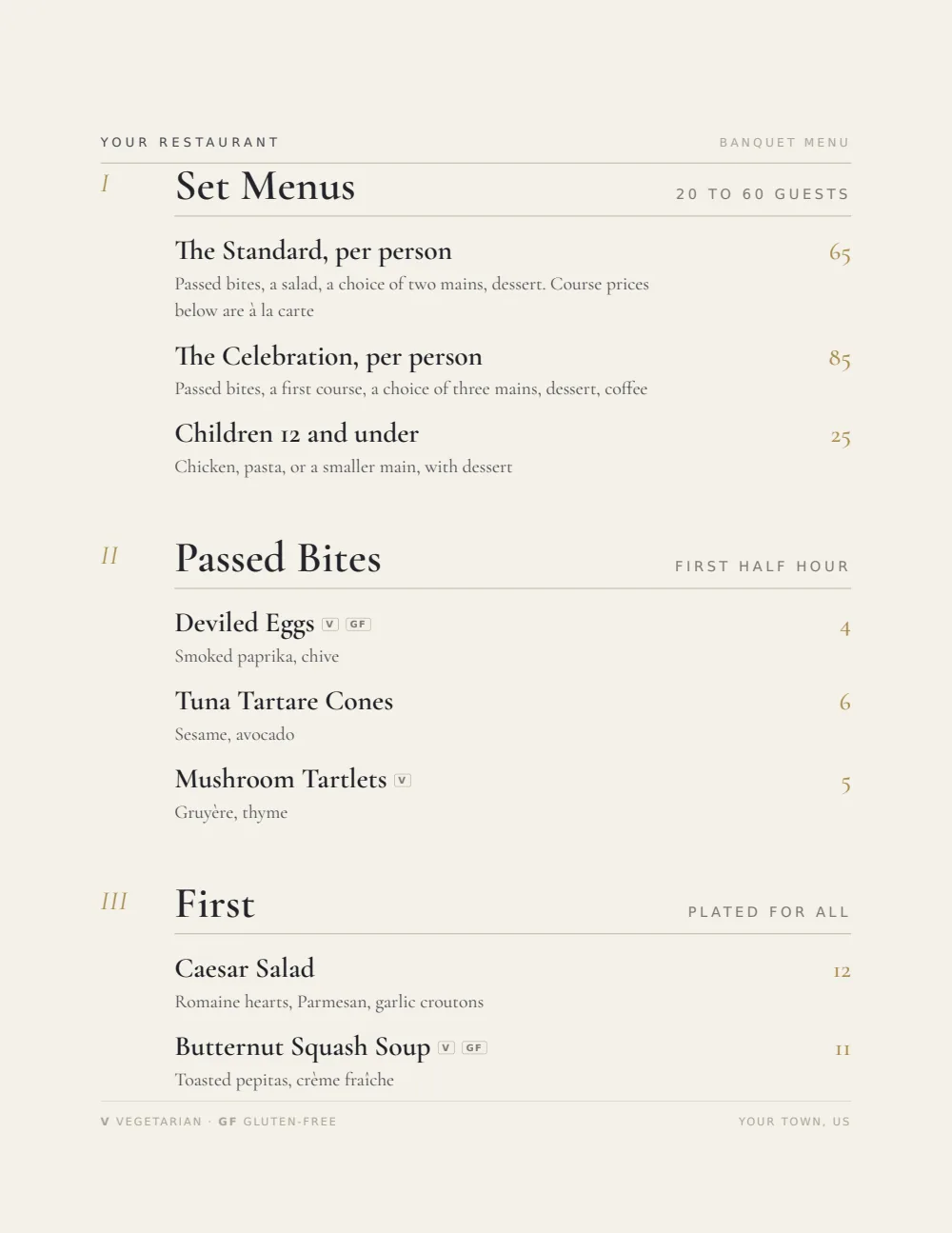
In Gaslamp the package price is one line (two labeled prices if it comes in a lunch and a dinner version), and the choices sit underneath with a note under the section heading that they are included. On a paid plan you keep as many menus as you want: one per package, and one per party copied from it.
What Gaslamp does not do
It does not book the room, hold a deposit, send contracts or invoices, or collect a head count from the host’s guests. It does not track a bar tab or a minimum spend, and it does not talk to your POS. It keeps the package menus, the party menus, their QR codes, and their PDFs right, from your phone, up to the minute the doors open.
The parties run straight into Christmas; plan them on the same calendar.