
Country club menu softwareThe turn stand ran out of chicken salad. The grill room still offers it.
A club runs four or five menus at once: the grill room, the formal dining room on weekends, the halfway house at the turn, the pool snack bar in summer, and whatever the events office is printing for Saturday’s brunch. Each changes on its own clock, and the members notice every mistake. Gaslamp keeps each one as its own menu with its own QR code, all under one account, edited from a phone.
No card needed · then $19/mo or $190/yr · cancel anytime
What changes on a club menu, and how often
A menu is designed once and edited forever. These are the edits this kind of place makes, and what each one takes in Gaslamp.
| The change | How often | In Gaslamp |
|---|---|---|
| The seasonal menu turns over | Quarterly, or with each season | Build the new menu as its own menu, edit it over a week, and put its table tents out on the changeover date. The old one stays in the account for next year. |
| The halfway house sells out at the turn | Most Saturdays in golf season | Mark the item sold out from a phone at the stand. Members scanning the cart sign see it struck through about thirty seconds later. |
| Pool season opens and closes | Twice a year | Keep the pool menu in the account all year and put its signs out on opening weekend. Nothing to rebuild in May. |
| A holiday brunch or wine dinner is announced | A dozen times a year | Make it its own short menu: one line at the per-person price, the courses in the description. Print it for the tables and post the code in the member newsletter. |
| The chef adds a weekly special | Every week in the grill room | Keep a Chef’s specials section at the top of the grill room menu and rewrite its lines on Tuesday. Hide it on the nights there is none. |
11:15 a.m.
Chicken salad gone at the turn at 11:15. Off the sign by 11:16.
The early groups came through the turn hungry and the halfway house is out of chicken salad before the second wave. The attendant switches it off on the turn stand menu from a phone and saves. The foursome scanning the sign on the cart path orders the club sandwich instead of waiting to be told.
The editor runs in your phone’s browser; there is no app to install. The menu rebuilds in about two seconds, and phones that scan the code see the change about thirty seconds after you save.
Your phone

The menu

How country clubs set up their menus in Gaslamp
Menus
- Grill roomLunch and casual dinner, with the weekly specials
- Dining roomWeekend dinner, set more formally
- At the turnThe halfway house, short and fast
- PoolSummer only, signs out on opening weekend
- EventsHoliday brunches and wine dinners, one short menu each
Sections, for example
- Chef’s specials2 to 4, rewritten weekly
- Startersabout 8
- Saladsabout 6
- Sandwiches & burgersabout 8
- Entréesabout 8
- Sidesabout 6
- Dessertsabout 5
- Kidsabout 5
Each menu holds up to twelve sections of twenty items. A club may run four to six menus; the trial covers one, and a paid plan covers as many as you keep.
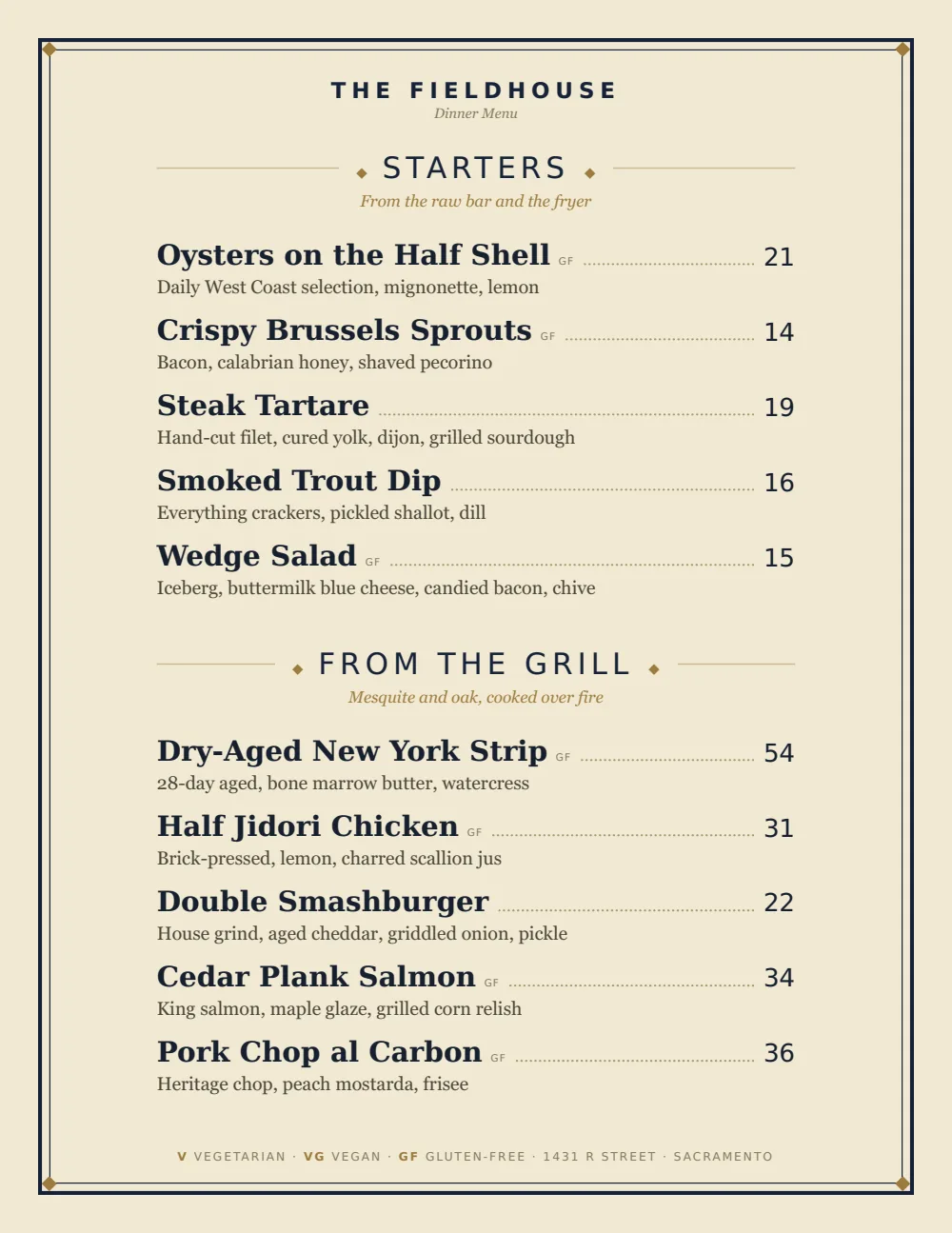
Start with Classic American
Engraved rules, small-caps headings, and dotted leaders to the price read as a club menu without looking like a banquet order. The same design works for the grill room and the turn, so the menus look like one club.
Start from the sample menu set in Classic American, then type your dishes and prices over it in the editor. After that, the job is keeping it right from your phone. See the free template for the full layout.
Where the QR code goes
Each menu gets one code, and it never changes. Print it once; every edit after that shows up behind it. Gaslamp makes the printable pieces for you.
From the floor: Put the turn stand’s code on a sign the carts pass a hole before the stand, not on the stand itself. Golfers who have already decided keep the line moving.
- Cart path signa window sign at the turn stand, so golfers read the menu while they walk up
- Table tentin the grill room and at the pool, for the member ordering a second round
- Counter cardat the halfway house window and the pool snack bar
Good to know before you start
- The hosted menu is a public page: anyone with the code or the link can read it. There are no member logins or private menus.
- One login per account, no team seats. The chef, the clubhouse manager, and the turn attendant share the club’s login, so agree on who edits which menu.
- No member charge, POS, or tee sheet integration. Prices change in the club’s POS separately.
- Prices from $1 to $9,999, up to three labeled prices per item. A holiday brunch is one line with Adult and Child prices.
Club menu questions
- Can a club run several menus from one account?
- Yes. On a paid plan you can keep as many menus as you run (grill room, dining room, turn stand, pool, events), each with its own QR code and print PDF. The trial includes one live menu.
- Can the menu be for members only?
- No. The hosted menu behind the QR code is a public page. Most clubs are fine with that because the prices are the same ones printed on the tables; if yours are not, keep prices off the hosted menu and print them instead.
- How do we list a holiday brunch buffet?
- Make it its own menu: one line at the adult price, one for children, and the stations written in the descriptions. Print it for the tables and share the menu’s link in the member email. Gaslamp does not take reservations or deposits.
- Who on staff can edit the menus?
- Anyone with the club’s Gaslamp login. There are no separate staff accounts or permissions, so most clubs give the login to the chef and the clubhouse manager and keep a short list of who changes what.
- How much does it cost?
- Start with a 30-day free trial, no credit card needed. Then it is $19 a month, or $190 a year (2 months free). No setup fee. Cancel anytime. The trial includes one published live menu with QR codes. PDF downloads and additional menus start when you pick a plan.
The members read every line. Keep every line right.
No card needed · then $19/mo or $190/yr · cancel anytime