Start with what the kitchen can cook on a Friday
A menu is a promise the kitchen has to keep at eight o’clock on its busiest night. Before anything else, list the dishes you want, then test the list against the line: which station fires each dish, how long it takes, and what happens when six of them come in at once. A menu that looks balanced on paper can put every ticket on the sauté cook.
Cross-utilize. If the short rib braise also becomes the sandwich at lunch and the hash at brunch, one prep task feeds three dishes. An ingredient used in a single dish is one more line on the order sheet and a candidate for waste. If you are unsure how long the list should be, how many items a menu should have works through it from prep and ticket times.
What goes on the finished menu:
- Every dish with a price. Sizes can share a line as labeled prices; add-ons go in the description or a section of their own.
- A description wherever the name alone does not tell the guest what arrives.
- Dietary marks for vegetarian, vegan, gluten-free, and the rest, with a key.
- The fine print: an allergy notice, any surcharge or service charge, and a consumer advisory for raw or undercooked food if your local code requires one.
Sections and the order guests read them
Sections follow the meal. Guests look for the part of the menu they are deciding on, so the order should match how they order: something to start, something to share, the main thing, something sweet. Keep section names plain. “Starters” beats a clever name a guest has to decode in low light.
| Kind of place | A section order that works |
|---|---|
| Full service | Snacks, Starters, Pasta or Salads, Mains, Sides, Desserts |
| Café or bakery counter | Coffee, Tea and other drinks, Pastry, Breakfast, Lunch |
| Bar | Cocktails, Beer, Wine by the glass, Spirits, Food |
| Brunch | Drinks, Something sweet, Eggs, Plates, Sides |
| Taqueria or fast casual | The main thing (tacos, bowls), Plates, Sides, Drinks |
Put the dish you most want to sell near the top of its section, where the eye lands first when a guest scans down. The kind of place changes the details; there are notes for cafés, brunch, and fine dining.
Price every dish from its plate cost
Cost the recipe first: every ingredient at today’s invoice price, by the portion, plus the garnish and the oil in the pan. That is the plate cost. Divide it by the food cost percentage you plan to run and you have a starting price. Then look at it next to the rest of the section and the places down the street, and round it to a clean ending.
The menu item price calculator does that math one dish at a time. When costs move later and you need to raise a section by a percentage, the menu price increase calculator takes your menu text and returns every new price, rounded. Keep one price ending across the whole menu so the numbers read as a set.
Write descriptions that tell the guest what arrives
A description has one job: tell the guest what is on the plate so they can choose. Name the protein and how it is cooked, then the one or two ingredients that change the dish. Cut the adjectives that every menu uses. A server should be able to read it aloud in one breath. There is a full guide with before and after rewrites in how to write menu descriptions.
Mark dietary needs and allergens
Mark vegetarian, vegan, gluten-free, and similar needs with short tags and a key at the foot of the menu. Tags answer the question a guest would otherwise ask the server at every table. Be exact: a “gluten-free” mark on a dish fried in shared oil is a promise the kitchen is not keeping.
Allergens are a separate job from dietary preferences. Name the major allergens in the description when they are not obvious (pesto with pine nuts, a sesame dressing), and print a line inviting guests to mention allergies when they order. The rules vary by state and city; restaurant allergen labeling covers what the FDA says and what to check locally.
Design comes last
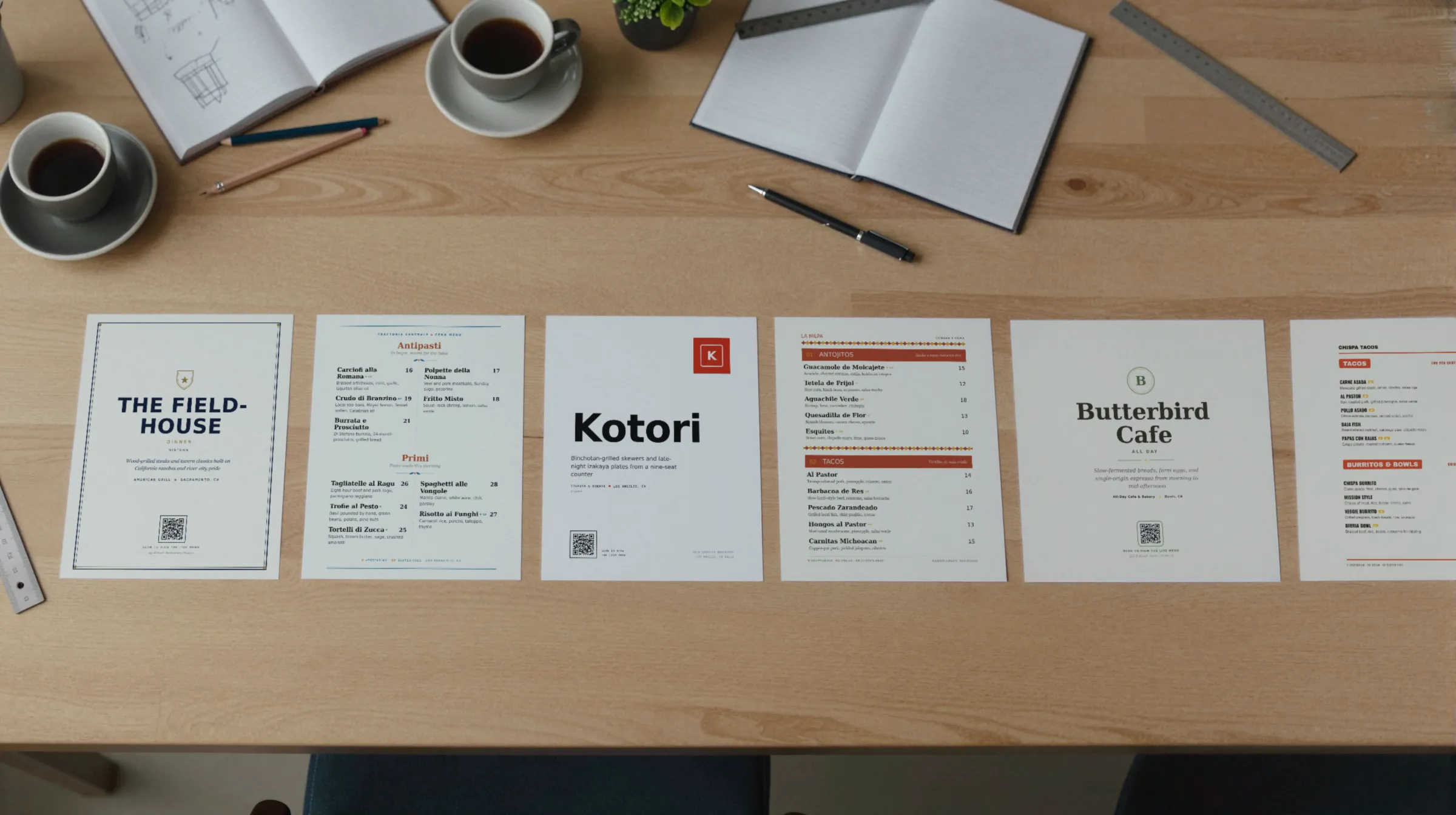
Once the words and prices are settled, the design has three jobs: make the sections easy to find, make every dish name easy to read in a dim room, and make the price easy to match to the dish. Generous space between items does more than decoration. One or two typefaces, a clear size difference between section names and dish names, and prices set in a consistent position are most of it. Restaurant menu design goes deeper, and the menu templates show finished layouts to start from.
Print, QR, or both
Most restaurants end up with both: paper at the table and a hosted menu behind a QR code for the window, the bar, and anyone who wants to read it on a phone. The question is which one you treat as the source.
| Format | Good for | What it costs you when the menu changes |
|---|---|---|
| Printed menu | Full service, fine dining, a menu guests hold | A reprint of every copy |
| PDF behind a QR code | Quick to set up | Edit, export, and re-upload; small text on a phone |
| Hosted menu behind a QR code | Menus that change often; reading on a phone | Edit and save; the code stays the same |
More on the trade in QR code menu vs printed menu, on the paper side in printable menus, and on the code side in QR code menus.
How to make a restaurant menu in Gaslamp
- Pick the design made for your kind of place. You start from a sample menu set in it.
- Type your sections, dishes, descriptions, prices, and dietary tags over the sample. Add your logo, and set an accent color and font. The live preview shows the menu as you change it.
- Keep it right from your phone: the editor runs in a phone browser. Each menu holds up to 12 sections of 20 items, with up to three labeled prices per item from $1 to $9,999.
- Publish the hosted menu and print the QR code as a table tent, window sign, or counter card. The code never changes.
- On a paid plan, download the print-ready PDF for your printer.
After that, a price change is an edit and a save, and phones that scan the code see it about thirty seconds later. Gaslamp does not cost your recipes or connect to your POS, so plate costs and register prices stay your job. The trial is 30 days with no card, then $19 a month or $190 a year. For the day-to-day side, see restaurant menu management.